All posts by joowonpark

Input And Function – Computer Music Composition Method

In the Tool and Variations post, I explained a composition method for electronic music.

  1. Make an instrument
  2. Make variations using the instrument
  3. Organize the variations in a musical order

This method works only if I make ample variations with distinguishable yet similar traits. The production of such sounds involves structured, methodical repetition. Once I have a surplus of sounds, I use musical experience and training to select and sequence some of them.

I use four ways to produce variations from sound sources. The four are categorized by the quantity of inputs and the number of functions.

  • One input with many functions
  • Many inputs with one function
  • Many inputs with many functions
  • One input with one function

An input in the list above is a sound, an audio file, a sample, or any starting point sound. A function is a tool, a plug-in, a DSP patch, or any technique or idea that changes the input. An input processed by a function produces an output that is different yet similar to the input. The input->function->output relationship is fundamental in music technology. Borrowing terms from mathematics, the relationship is expressed with the symbol f(x), where x is an input, f is a function, and f(x) is an output.

xff(x)
GuitarDistortion pedalDistorted guitar sound
VoiceGranular patchGranularized voice
100+ 200300

The following sections provide a detailed explanation of the different methods for producing variations. Each section has diagrams, example music, and composition tips.

One Input With Many Functions

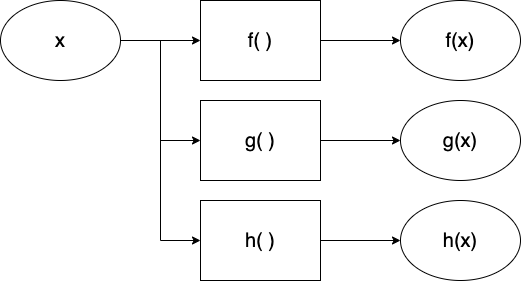
In this method, I limit the type of incoming sounds to one. I compensate for the lack of variety in the source with many plugins, SuperCollider patches, hardware processors, and other electronic transformations. The resulting outputs are different from the original, but listeners can hear that they are related to the source.

The one-input-many-functions model is often observed in interactive electronic music, if we think of an instrument as the input.

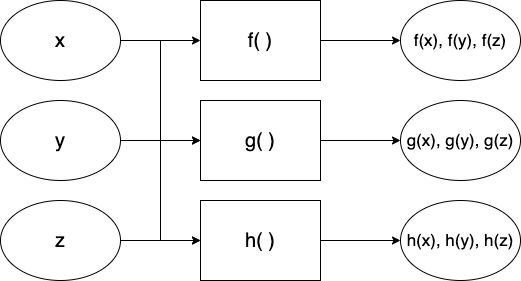
  • x: an instrument 
  • f, g, h: effect processors that make a type of variation
  • f(x): resulting sound
  • g(x): resulting sound from another effect processor g
  • h(x): resulting sound from another effect processor h 
  • i(x), j(x), k(x)…

In Armor+2 (2015) for clarinet and computer, a clarinetist plays on stage while the computer performer controls a SuperCollider patch off stage. All computer sounds except for one are a result of processing the clarinet sounds. The audience can hear that the computer parts are clarinet sounds with electronic timbral extensions – In other words, the computer parts sound like a clarinet, but they are not feasible without the help of electronics.

Many Inputs With One Function

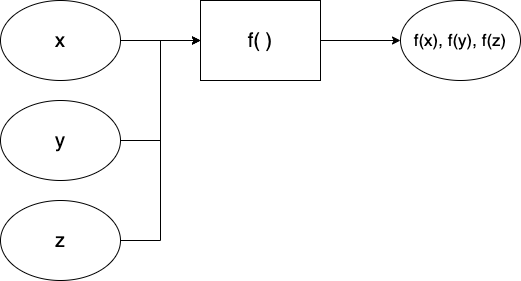
At 0:35-1:00 of  Pierre Schaeffer’s Bilude (1979), recordings of everyday objects alternate with the piano part. They sound musically related to the piano part because the electronics were processed under the same rules – edit the audio in sync with the piano part. We can frame this in the context of the Input and Function.

  • x, y, z: different types of inputs (audio recordings of paper, water, scissors, etc.)
  • f: function (edit according to the rhythm of the piano part)
  • f(x): resulting sound (paper sound in the rhythm of the piano part)
  • f(y): resulting sound (water sound in the rhythm of the piano part)
  • f(z): resulting sound (scissor sound in the rhythm of the piano part)
  • f(a), f(b), f(c)…

Applying a common rule or function adds reasons for seemingly random sounds to coexist in an electronic music composition. A shared function forms a shared identity that audiences can listen to and follow.  

The identity can be a musical rule, like the ones in Bilude’s, or a shared tool.  In Piano Triplets (2020), an EP collaboration with Starkey, all tracks use the same signal processing algorithm.  Starkey provided samples made with piano, Buchla, bouncing ball, and synths. I processed them with the ISJS patch made with SuperCollider.  The results of processing these samples with various presets were distinct enough to make three tracks.

Many inputs With Many Functions

One does not have to choose between one of the two methods mentioned above. In many cases, composers use multiple inputs and multiple functions to generate a vast array of variations.

The maximalist approach could be good if the composer is in control of the available sources. In Bilude, the electronic part at the beginning consists of processed piano sounds, which fall under the One Input With Many Functions category. It is followed by the Many Inputs With One Function section, as explained in the previous section. Then the piece mixes two methods in the more rhythmically freer latter half.

I use many input and function approaches for improvisation. When spontaneity is necessary, it is better to prepare an excess of sounds and tools than to run out of techniques. My electronic improvisation setup cannot play traditional scales or rhythms, so I make it up by bringing in many sound sources and using a SuperCollider patch with 10+ effects. 

One Input With One Function

Is processing one input with one function musically useful, then? Yes, if the input or the function is exceptional, and if finding its value takes time. Many tracks in Fan Art (2023) feature a digital instrument presented within a single compositional idea. The minimalist approach gives the audience time to focus on details and subtle changes. My job as a creator of such music is to design an instrument that is interesting enough and then present its various states efficiently. Below is a list of some tracks in Fan Art in the context of input-function-output.

xff(x)
Karplus string instrumentHarmonic progression of BWV 847847 Twins
Organ-like instrumentHarmonic progression of Claire de LuneEnd Credits
LoopRhythmic modulation of SamulnoriOgum Walk

One Input With One Function can also yield unexpected, delightful sounds with feedback.

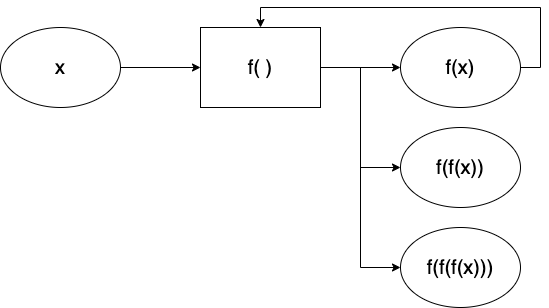
If a function f processes an input x, and the result f(x) is then processed again by the same function f, the newly iterated output is a new variation. The early and still excellent example is Alvin Lucier’s I Am Sitting In A Room (1969). The piece clearly states its input, function, and output at the beginning, yet the ending result is awestruck. 

* Search for and read computer music composition methods and related articles by visiting my Zotero site: Academic Electronic Musician.

Option Escape (2026)

Option Escape for laptop ensemble uses the computer’s text-to-speech functions. In 2026, the speech read by a computer still sounds artificial and quirky. The ensemble of those artificial voices can become a musical entity. To perform Option Escape, each performer should prepare a text file consisting of sentences, words, numbers, and codes. The performer should also choose a favorite voice and ready the hotkey (option+esc in Mac OSX) to start and stop the speech.


Hardware Setup

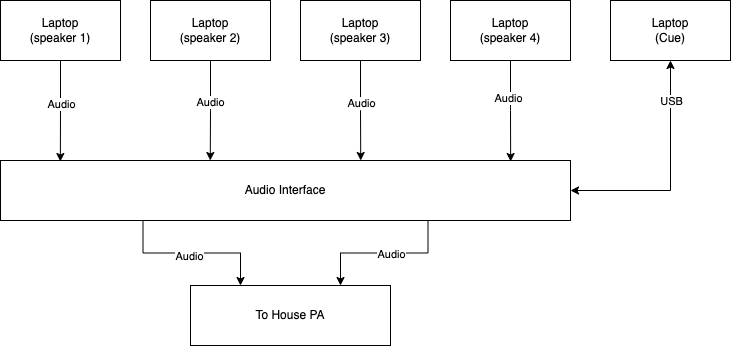
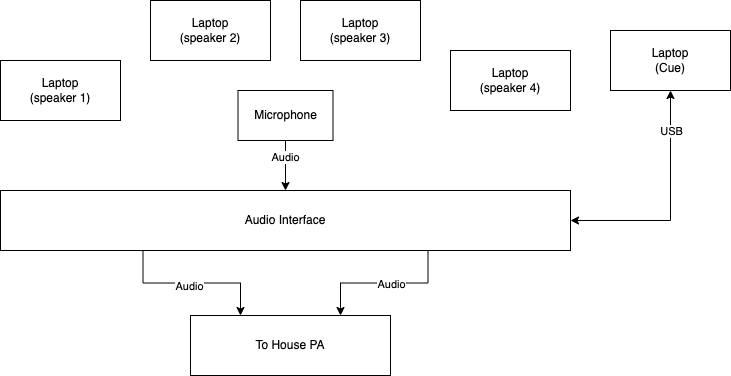
  • Minimum 5 computers with text-to-speech feature (Mac OSX preferred)
  • A multichannel audio interface OR an interface and a mic
  • Stereo PA system 
  • Audio cables to connect the laptops’ built-in outputs to the interface
  • Diagrams for two possible setups are shown below

Software Setup

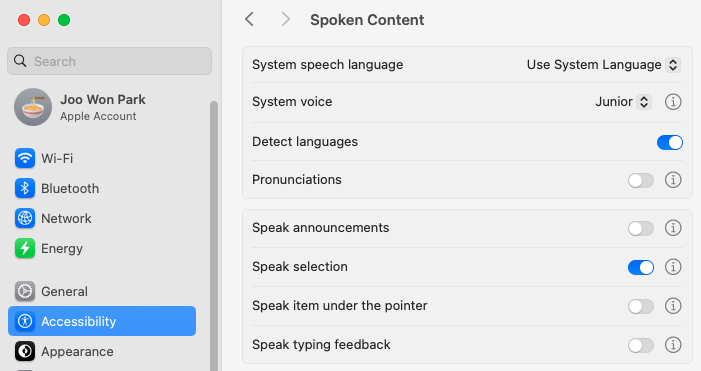
  • Performers, except for the Cue part, should change the computer settings to read the text with a computer-generated voice. In the current OSX, go to System Settings -> Accessibility. Enable Speak Selection. Change System Voice at will. See the above figure. 
  • Download SuperCollider files and score
  • The performer playing the Cue part runs optionesc.scd on SuperCollider.  

Score Interpretation

  • Speak 1/2/3/4 selects and text-to-speech the text in the prepared file according to the score. If the selected text ends before the next cue, repeat text-to-speech. 
    • Paragraph: Use two or more paragraphs.
    • Sentence: Use one sentence. 
    • 3 Words: Use three words.
    • Word: Use a word.
    • Vowel/ Number/ Symbol: Use a vowel, a number, or a symbol (test the symbols beforehand) 
    • Code: Use a computer code or a web address.
  • Speak 1/2/3/4 parts should prepare an original text file for a performance. Copy-paste the texts multiple times for a better performance. An example is included in the download (or click here).
  • The notehead indicates the text-to-speech reading speed. If the measure does not have a notehead, retain the previous reading speed.
    • Natural (no sharps or flats): read at normal speed
    • Flat (b): read at a slow speed
    • Double flat (bb): read at the slower speed
    • Sharp (#): read at a fast speed
    • Double sharp (x): read at the faster speed
  • In Cue 17, performers manually fade out the computer voice while speaking the paragraphs in their own voice. End at cue
  • One performer should operate the SuperCollider file as a cue player.
    • Open OptionEsc.scd
    • Select Menu -> Evaluate File
    • When the GUI appears, press the button according to the score
    • Cue the performers for the next section, if preferred
  • Performance Tips (for Mac OS 10.15 )
    • Place the left hand on the option and escape keys at all times. To quickly change the text, highlight the text, hold the Command key, and press the Escape key twice.
    • To read text faster or slower, double-click the rabbit or turtle quickly after the computer starts speaking.

Annecdote

The audio file below is a simulation I made while composing Option Escape. The listeners at the concert felt the low and high frequencies of the beats, but the mics in the concert hall could not capture the details of the SuperCollider part. If you are an ensemble director, please listen to the recording below for consideration of your next repertoire.

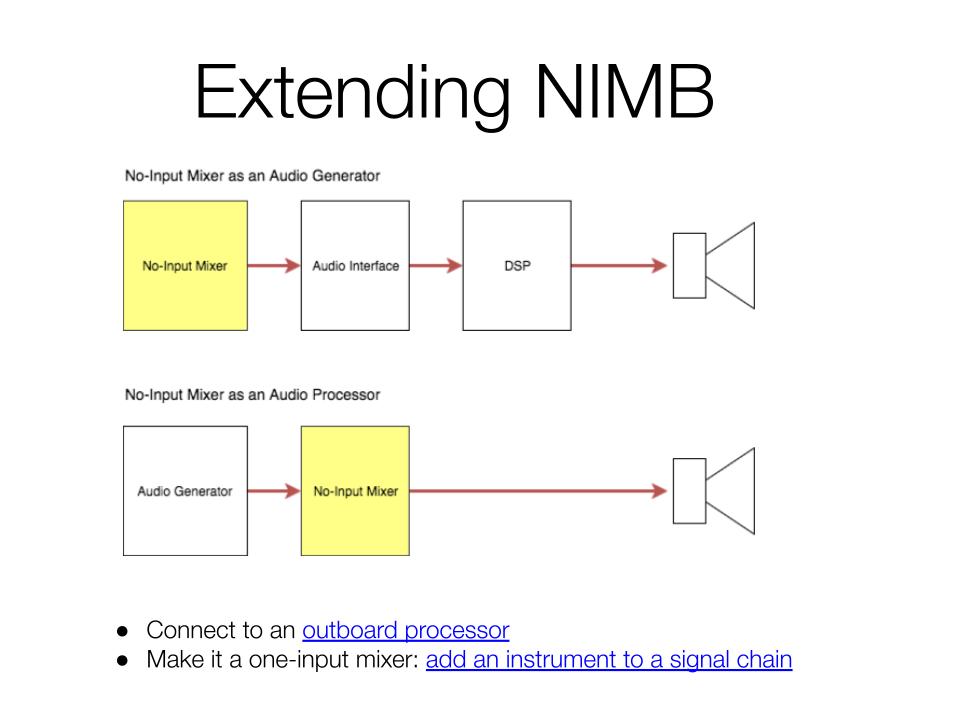
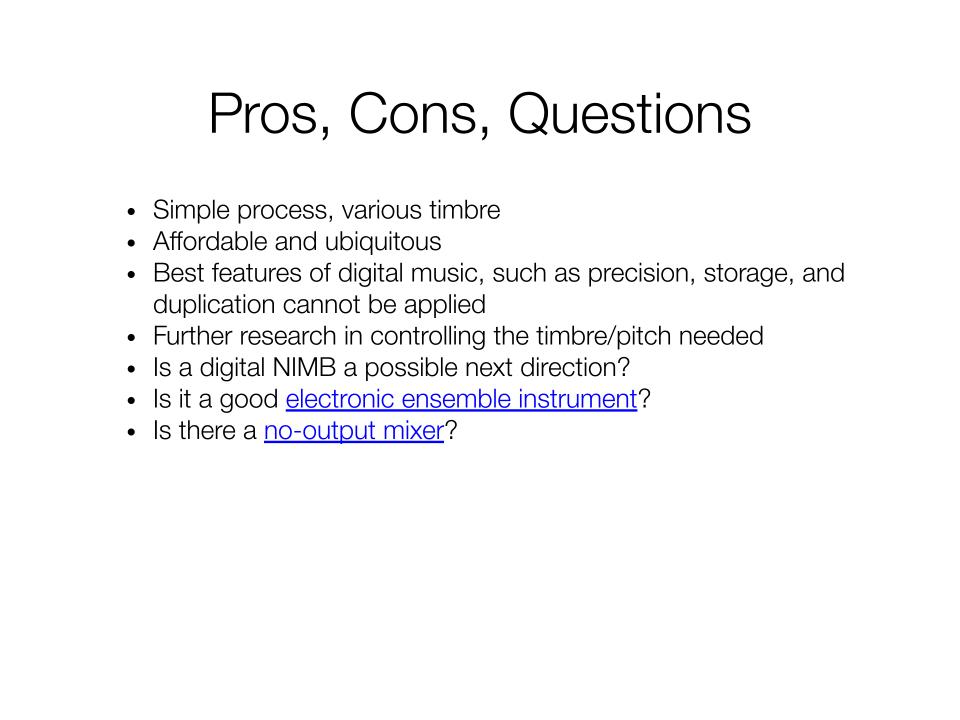
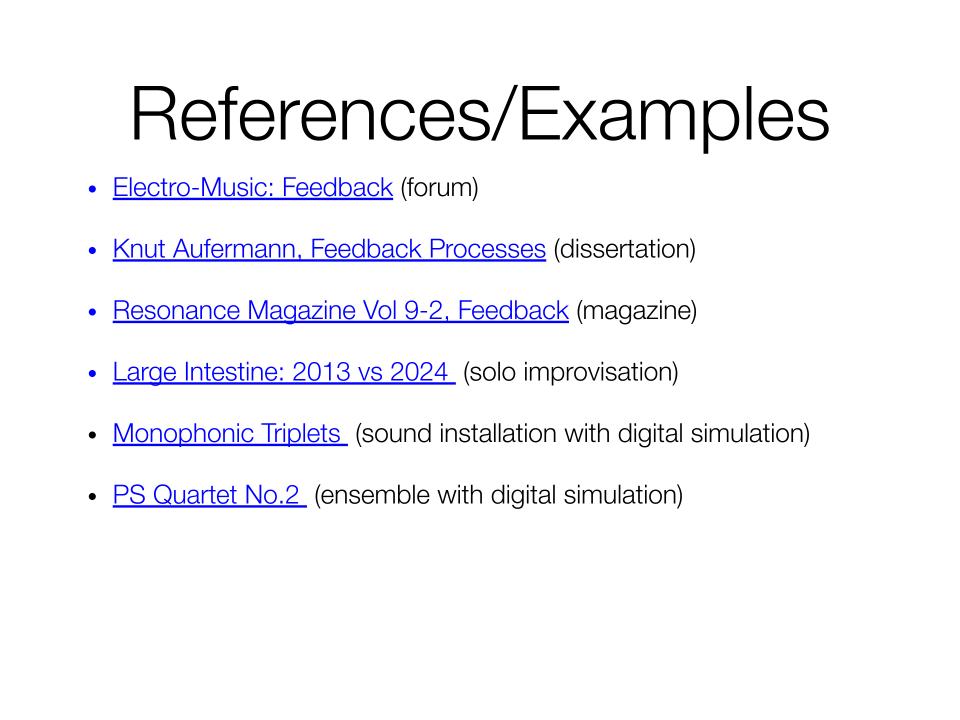
No-Input Mixer: Slides and Audio Examples

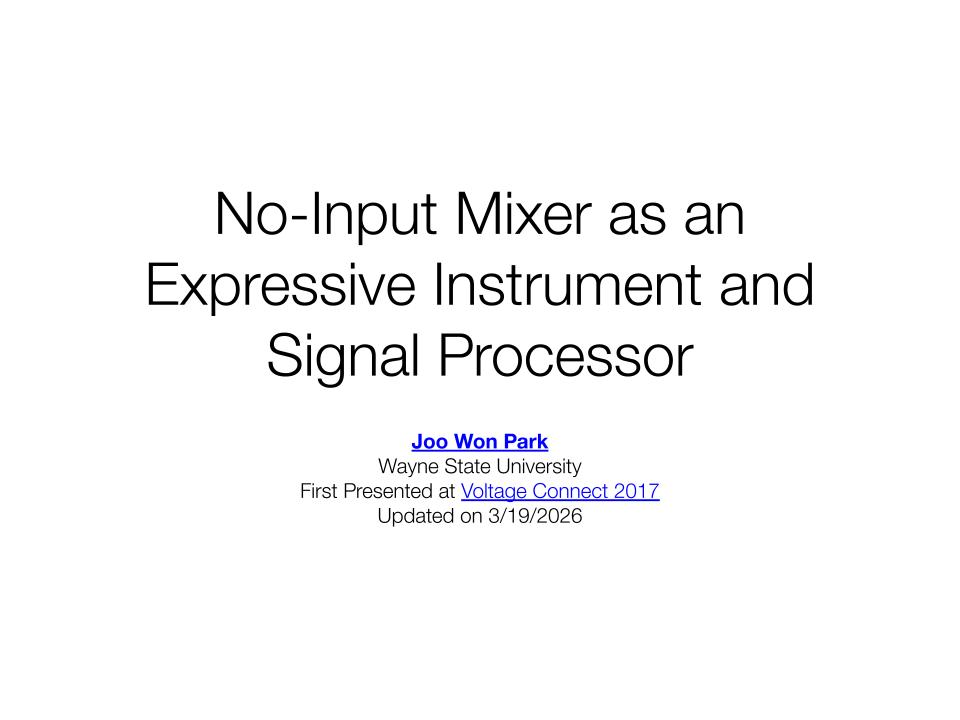
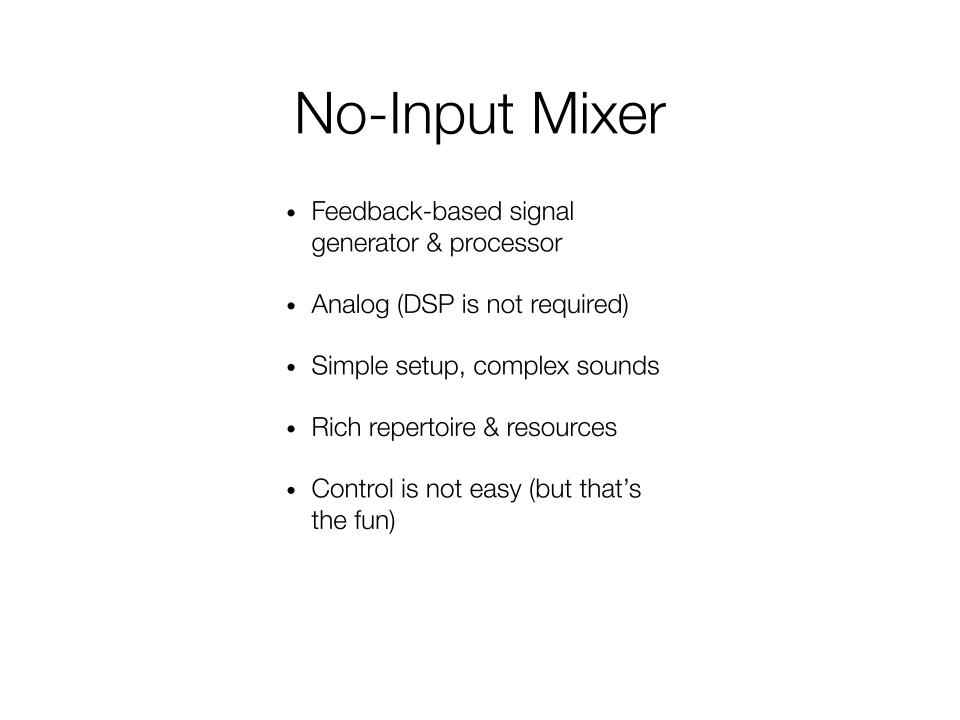
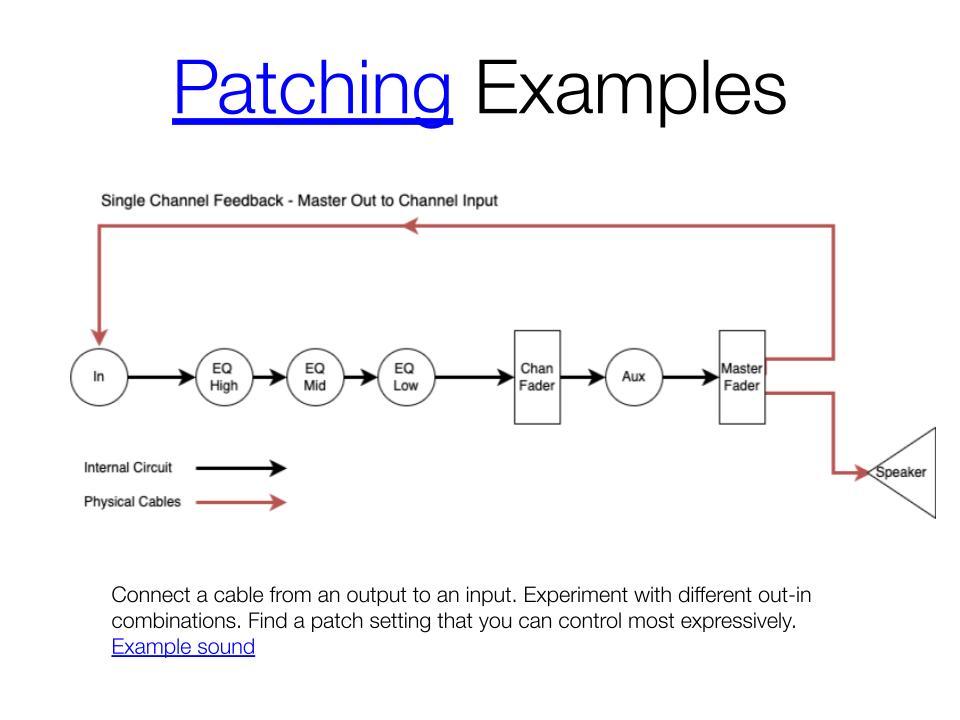
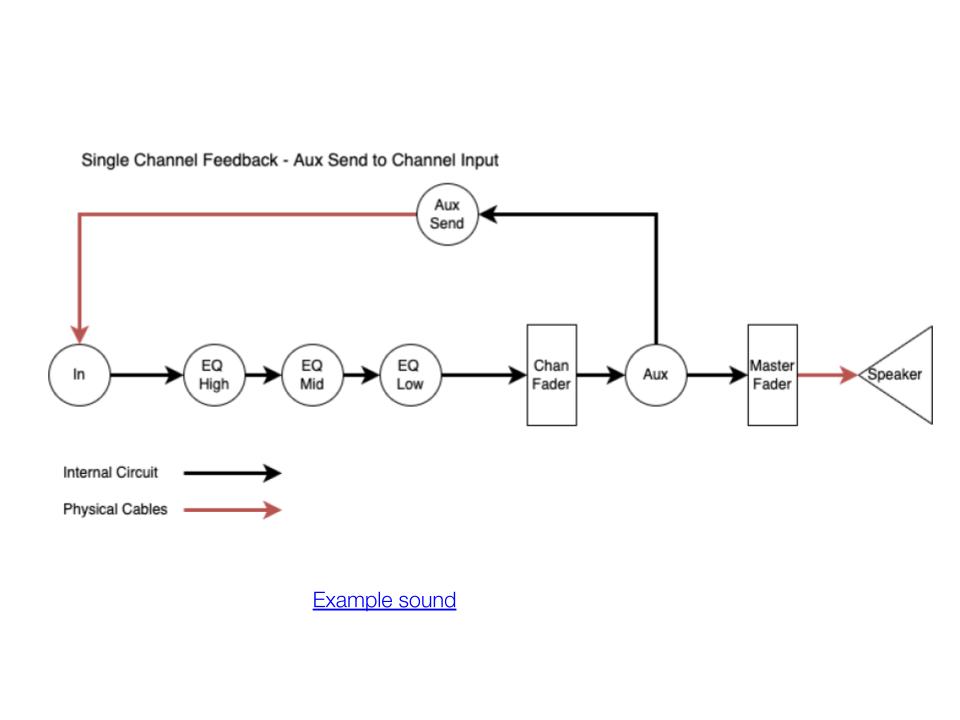
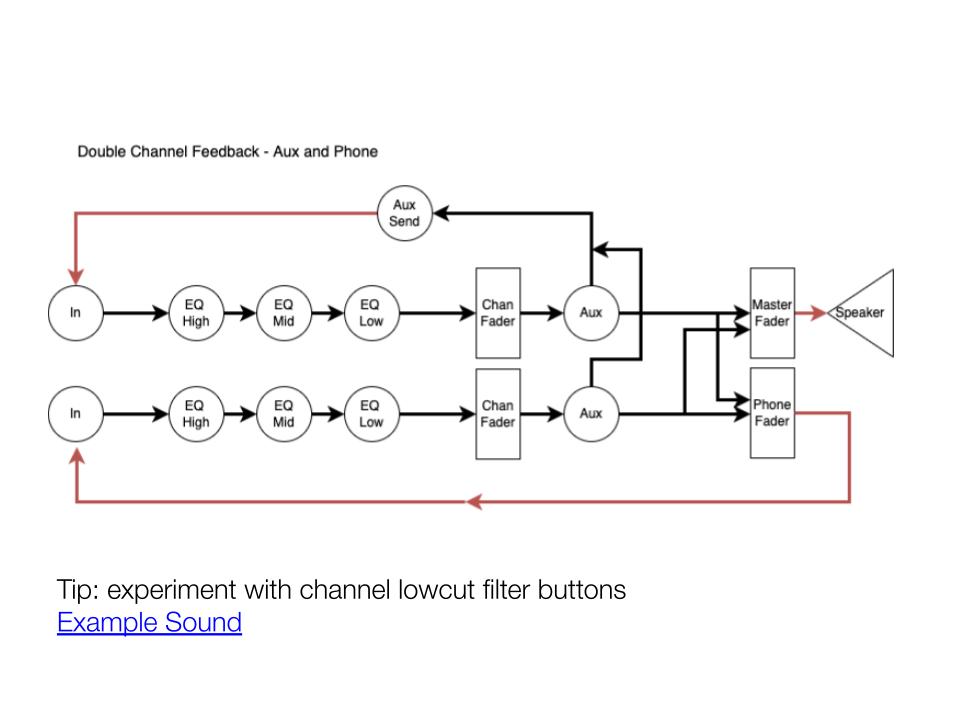
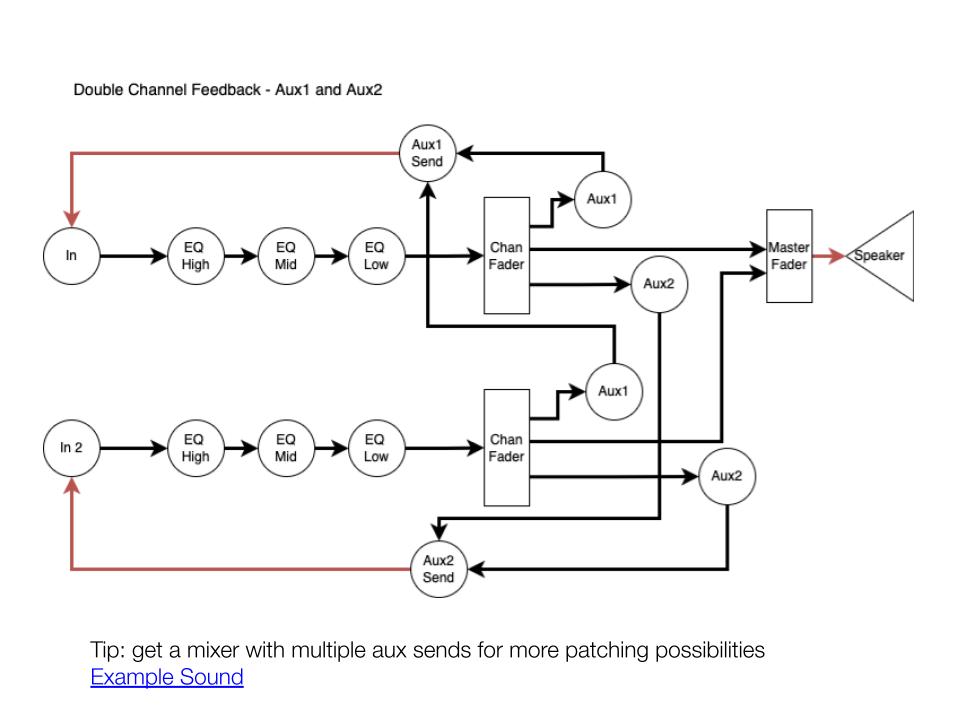
Here are the presentation materials I use for the no-input mixer workshops. A no-input mixer is a great introductory instrument for noise-based electronic music practice.

Google Slides: has links, audio samples, diagrams, etc.

Here’s another version of the tutorial with a bit of performance in the second half

Let me know if you want to invite me to run a workshop. I can bring the necessary gear for the hands-on experience!

Academic Electronic Musician: An Example

Academic Electronic Musician: An Example is a collection of short articles on electronic music composition, performance, and presentation. The collection is useful for the following purposes:

  • Learn what a teaching electronic musician does (besides teaching)
  • Examine audio and scores for electronic music
  • Find examples of electronic music analysis and composition techniques
  • Get insights on electronic music practice in presentation, documentation, and education 

Download and study SuperCollider compositions and tools

The articles and examples in the collection are my research outputs. There is a value in reviewing and connecting works by an individual, different from the value gained from comparing and analyzing works by many. Alvin Lucier’s Music 109: Notes on Experimental Music and Gordon Mumma’s Cybersonic Arts: Adventures in American New Music, for example, gave me insight into an aspiring artist’s electronic music practice spanning decades. I hope this collection of writings serves the same purpose, but from the perspective of a lesser-known yet currently practicing full-time artist. 

Academic Electronic Musician is hosted in Zotero, a multiplatform tool for organizing research data. The site allowed me to organize blog posts like a search engine tailored to my work. The site, pictured above, is most useful and effective when using tags and related links.  See the linked video for further explanation.


With its interactivity, Academic Electronic Musician may serve as supplementary material for electronic music classes and workshops. For example, if a class is learning about algorithmic composition, teachers can select the algorithmic and analysis tags to find examples with audio, code, and diagrams. Also note that the contents will grow as I compose, perform, and document more in the future. 

But on the site, you may not find typical information in other electronic music textbooks, such as

  • Tags linking to sources created by people other than me
  • Detailed Information about pieces written by other people
  • Instructions on using a specific audio app 

Numerous authors have written about these subjects with examples from well-known works. 

Electronic music researchers and practitioners find new theories and practices that could be useful to others. But those findings must be documented and shared. This, the sharing of knowledge, is what academic musicians do best. I hope the writings in the Academic Electronic Musician serve as an example for those who want to study and experiment with uniquely electronic sound in a musical context. 

Learning Aphasia

Mark Applebaum’s Aphasia (2009) for solo performer is a difficult but rewarding piece. I have been intermittently practicing it since 2021, but I have yet to reach a satisfactory level. Knowing that my run of the piece today is better than in any other day, it gives me joy and energy to keep practicing. I wanted to share that delight in the last month’s Wayne State Faculty Recital Series. Despite many mistakes, the performance was received well by students and guests. Aphasia attracts and affects audiences and performers like no other electronic pieces I know. I can think of two, perhaps very personal, reasons.

Soulslike 

Aphasia is an Elden Ring-equivalent of electroacoustic music. The unforgiving difficulty is part of the fun. In practicing Aphasia, I had innumerable  “YOU DIED” moments. Learning small sections required focus and discipline, and still, the chance of succeeding was slim. But like a soulslike game, the process of achieving goals was fun. I understood more about the piece’s structural relationships, sound design techniques, and choreographic thoughts through repeated readings, listening, and failing. 

When I memorized the piece, I felt joy, similar to the moment I beat the final boss in Elden Ring after hundreds of hours of playtime. I learned to work consistently to achieve seemingly impossible goals. Musicians, of course, acquire this trait, but I needed a reminder and reinforcement.  Practicing Aphasia during the COVID quarantine semesters did that job. 

The audience watching Aphasia immediately gets its pleasant-but-difficult aspect. It’s fun but serious. It’s confusing, but there’s the order. And it’s inviting – instead of “I can’t do what I see on stage,” the audience may feel “I want to try it one day.” Aphasia seems to be an excellent introduction to studying the performance aspect of electronic music. Once a person has experience of doing Aphasia, watching the performance has a new meaning. It’s like watching a PVP match when knowing the mechanics and insights of a video game.   

Notation

Aphasia is a fully-notated piece composed in 2009. Hundreds of performers, mainly percussionists, played it in the 2010s. In contrast to many graphic notations,  the score is not to be freely interpreted. There is a clear notion of a mistake when the performer misses the timing or makes a wrong hand gesture. This aesthetics contrasts with my solo performance practice in the 2010’s, in which I freely improvised on stage with found objects, MIDI controllers, and found objects. The improvisatory nature of my performance made the audience expect the unexpected at the expense of irreplicability – I was the only person who could perform my solo electroacoustic works. In the composer of Aphasia’s words, I was the best and the worst performer of my piece.  

While only the improviser could perform their pieces, hundreds of percussionists performed Aphasia as the composer intended. Aphasia’s technology barrier is low, and the piece is a hit in every concert. When done correctly, the piece is indistinguishable from many high-tech compositions using motion sensors or controllers. Performers can make such an experience by studying notation, like many other pieces that they have studied previously. 

Aphasia taught me the effectiveness of low technology and low dependence on improvisational skill. With well-written notation, such a composition travels far, invites more performers, and lasts long. Many mixed pieces (i.e., those with an instrument and prerecorded electronics) have the same strength, but Aphasia stands out by featuring the most accessible instrument. My recent electronic ensemble pieces reflect this approach. They are built to be transferable, non-virtuostic,  and have low technological/financial barriers. 

Summary

Aphasia reinforces the music fundamentals I often forget – practicing and overcoming challenges is an essential part of musicianship, and great notation makes performers change and improve. I forgot these, perhaps as a byproduct of pursuing the new and the cutting-edge as a profession. 

Learning Aphasia also rekindled my role as a student. To create and teach, I need to study and practice. Consistently and continuously. The result of doing so does not have to be perfect, but sharing and explaining what I experienced is what teacher-artists do. Knowing me, I will probably forget the lessons. When that happens, I will relearn Aphasia (and/or play Elden Ring) to remember it again.