Tag Archives: supercollider

JNNJ (2016) – for percussion duo and computer

Program Notes

JNNJ was commissioned and premiered by Hunter Brown and Louis Pino in 2016. The piece is inspired by the life and dynamics of my family. The title is a combination of the first letters of mom, dad, and two sons. 

Technical Needs

  • One computer with a DAW or Max. A Logic Pro X session is provided, but any DAW will work. The tape part can also be played with the provided Max patch. 
  • Stereo sound system 
  • Two headphones for click tracks 
  • An audio Interface with four separate outputs 
  • TapeL.aif should be routed to output 1, connected to the left speaker 
  • TapeR.aif should be routed to output 2, connected to the right speaker 
  • ClickTrackL.aif should be routed to output 3, connected to Perc1’s click track 
  • ClickTrackR.aif should be routed to output 4, connected to Perc2’s click track 

Performance Needs

  • Two percussionists with a snare drum and a large cymbal for each performer. 
  • Both performers use brushes for the entire piece. 
  • Perc1 stands close to the left speaker, and Perc2 stands close to the right speaker

Performance Instruction

  • Each performer gets his/her own click track. The click tracks run in various tempi and over the entire piece. Each performer should follow his/her own click track. 
  • Interpret the score like a jazz chart. Improvise in the notated style (funk and swing). 
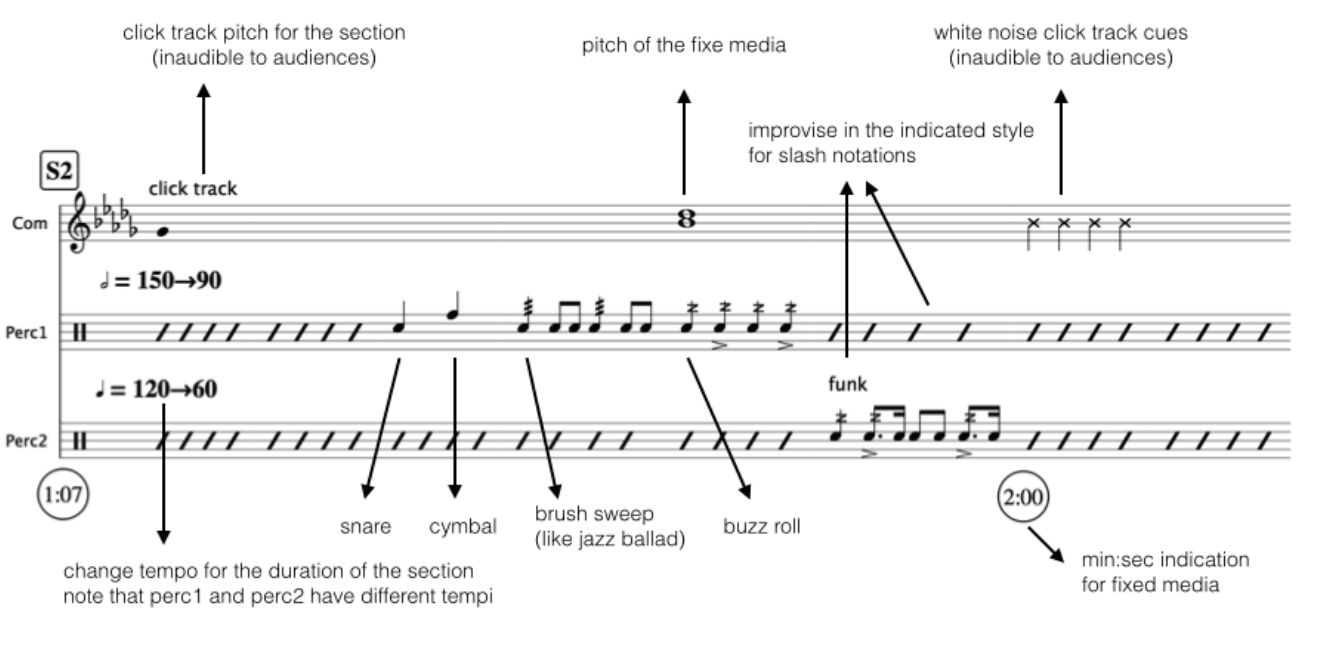
  • Pay attention to the pitch of the click track to hear the section changes. 
  • Section-specific notes: 
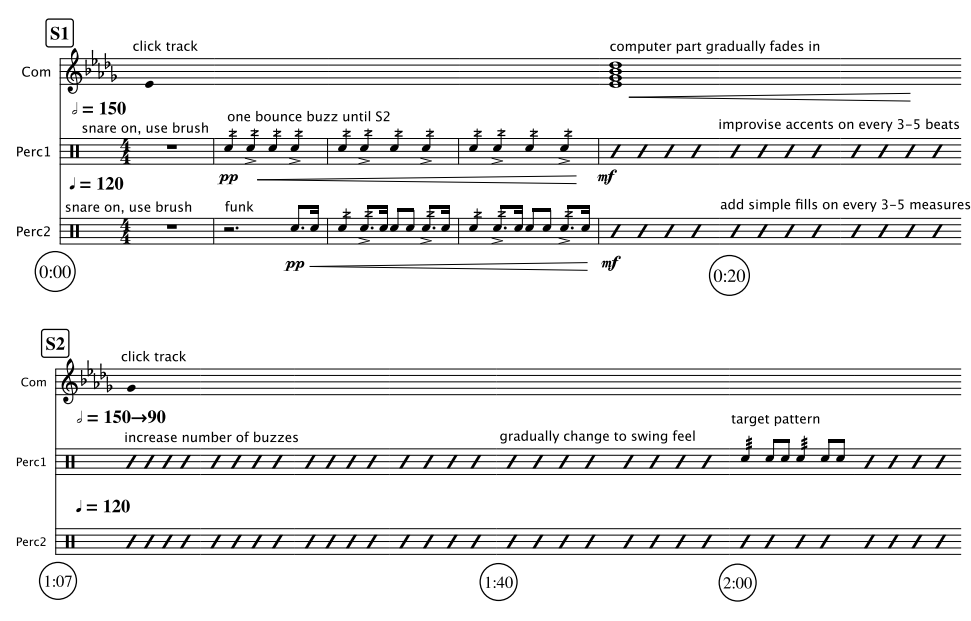
    • S1: The tape part will fade in at around the 20-second mark.
    • S2: Perc1 transforms the rhythmic pattern to a swing (indicated as “target rhythm”) while slowing down. 
    • S3: Perc2 transforms the rhythmic pattern to a more energetic and busy funk rhythm while slowing down. Listen for the white noise cue for the next section. 
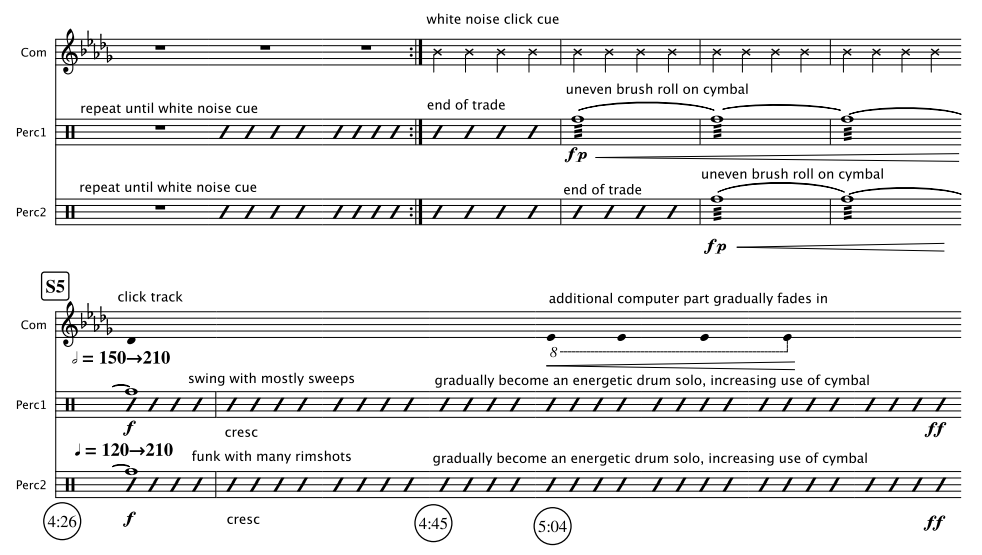
    • S4: Both Perc1 and Perc2 trade off solo while speeding up. The trade offs will gradually overlap with each other. Listen for the white noise cues to play uneven brush sweep on cymbals. 
    • S5: Both parts will get significantly faster. When the tempo becomes too fast, freely improvise with great energy. Increase the use of cymbals throughout the section. 
    • S6: Both Perc1 and Perc2 play energetic cymbal improvisation while slowing down. Accompany the tape part after the click track stops. At the end of the fixed part (7:00), create a quiet, windy sound by swinging the brush in the air.

Composing Click Track

A computer is excellent at doing precise tasks. It is a good tool for creating music that needs precise control. I can ask a computer to make a click track from 120BPM to 150BPM in 2 minutes, and it will do so without a hitch. In JNNJ, I used the precision of a computer to create a percussion duet featuring continuously changing tempo.

JNNJ requires each percussionist to follow their assigned click track. The tempi of the click tracks change constantly, asynchronously with each other. The performers are asked to follow the click track while improvising according to the score. To realize this idea, I made a click track with distinct features.

  • The click track gradually but precisely changes at a given duration. The performers listening to the click track should feel comfortable adjusting the tempo while reading the score.
  • To aurally cue the section changes, the pitch of the click changes in the click track. The notes are in harmony with the fixed media part.
  • The click tracks play unpitched count-in beats for the parts where a sudden or fast change is needed. 
  • The performers also read the click tracks in their score. The unstemmed quarter notes in the computer part indicate the pitch of the click tracks. Most of the fixed media part is described in words in the score.

The click tracks and fixed media parts are coded and rendered in SuperCollider. The audience does not get to hear it, but I think the most distinguishing feature of JNNJ is the click track. The fixed media part is simple in terms of timbre, so that the audience can focus on the duel of percussionists marching in different beats.

Refinement

The palindromic approach to tempo change (one part goes from X BPM to Y BPM while others go from Y BPM to X BPM at the same time) was previously explored in a fixed media piece called Cross Rhythms. Prior to that piece, I also explored palindromic timbre in a few other fixed media pieces. The third movement of Sound Mobile sounds exactly the same when played forward and backward.  Multiple and varied attempts at expressing an idea through sound are necessary for refining and redefining.

Four Hit Combo (2024)

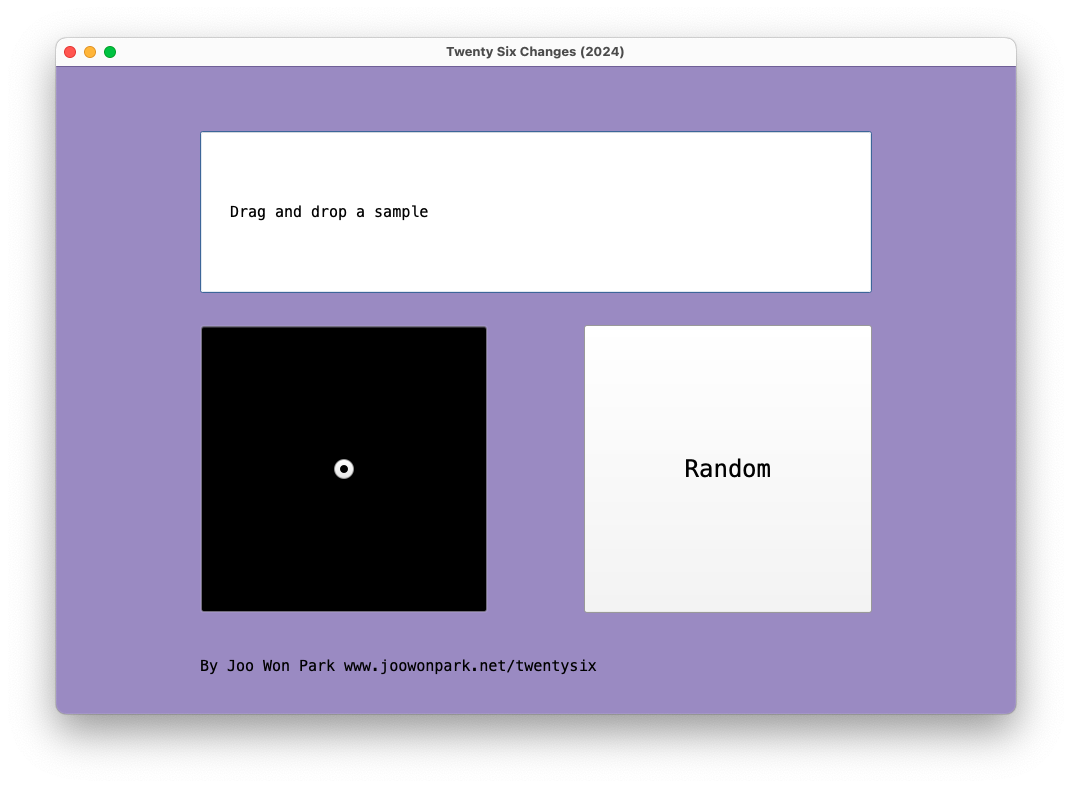
In Four Hit Combo, each laptop ensemble member uses four audio files to create twenty-six flavors. Musical patterns arise from repetitions (loops), and different combinations mark forms in music. The laptop ensemble members prepare their own samples before the performance, and they control loop start points and duration according to the score and the conductor’s cue. Because there are no specific audio files attached to the piece, each performance could give a unique sonic experience.

Instrument Needed

  1. Laptop: each performer needs a computer with SuperCollider installed
  2. Amp: connect the laptop to a sound reinforcement system. If the performance space is small, it is possible to use the laptop’s built-in speaker.

Pre-Performance Preparation

  1. Determine a conductor and at least three performers. If there are more than three performers, parts can be doubled
  2. Each performer prepares three audio files (wav, aif, or mp3). The first file should contain a voice. The second file should contain a pitched instrument sound. The third file should contain a percussion sound. All files should not be too short (less than a second) or too long (more than a minute). The [voice], [instrument], and [percussion] files should be different for all performers.
  3. While the voice, instrument, and percussion files are different for all performers, they should share one common sound file. This file will be used in the [finale].  
  4. The conductor prepares one audio about 10-30 seconds long. It could be any sound with noticeable changes. For example, a musical passage would work well, while an unchanged white noise would not. 
  5. Download FourHitCombo_Score.pdf, FourHitCombo_Performer.scd, and FourHitCombo_Conductor.scd from www.joowonpark.net/fourhitcombo
  6. Open the .scd files in SuperCollider. Follow the instructions on the.scd file to load the GUI screen.

Score Interpretation

  1. Proceed to the next measure only at the conductor’s cue. The conductor should give a cue to move on to the next measure every 10-20 seconds.
  2. In [voice], [instrument], [percussion], and [finale] rectangle, the performers drag-and-drop the audio file accordingly.
  3. In [random] square, performers press the random button in the GUI.
  4. In the square with a dot, quickly move the cursor in the 2D slider to the notated location.
  5. In the square with a dot and arrow, slowly move the cursor from the beginning point to the end point of the arrow. It is OK to finish moving the cursor before the conductor’s cue.
  6. In a measure with no symbol, leave the sound as is. Do not silence the sound.
  7. In measure 27, all performers freely improvise. Use any sounds except the commonly shared sound reserved for [finale]. 

Ambient in D Flat

Ambient in D Flat is a collection of short pieces for melodica and algorithmically generated computer sound. They all have the note Db as an essential part. Feel free to pick and choose which piece to perform or present. The last one in the collection, Fifth (for A Folk Song), is not an original composition- the performer is free to choose any folk song and play it in Gb major along with the computer part.

Setup

  • Download and install SuperCollider https://supercollider.github.io/downloads.html 
  • Download a zip file containing AmbientInDb_Mac.scd and AmbientInDb_PC.scd from https://joowonpark.net/ambientdb 
  • Open one of the downloaded SuperCollider files in SuperCollider. One is for OSX, and the other is for Windows.
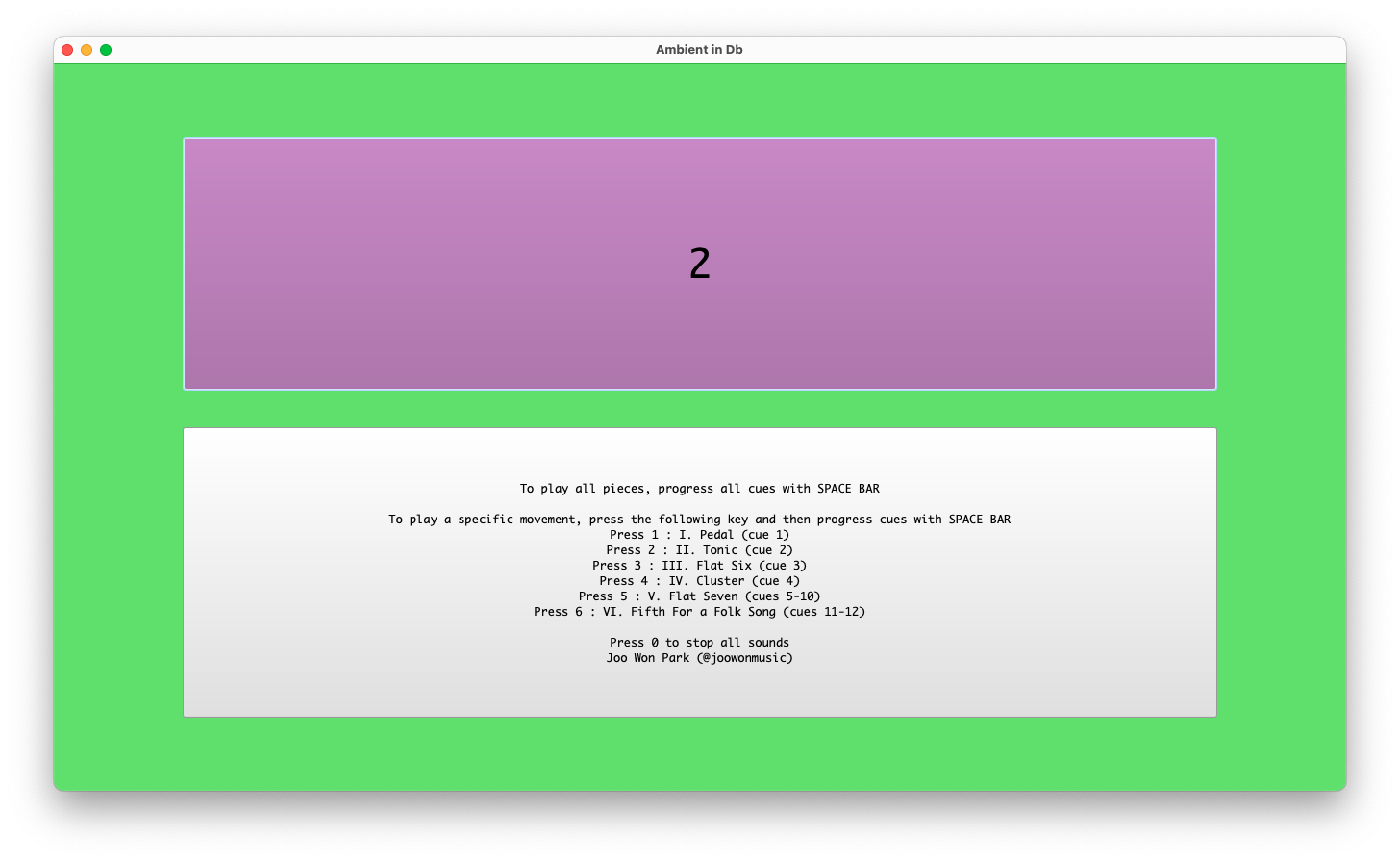
  • In the SuperCollider menu, select Language-> Evaluate File. A window with performance instructions will appear.
  • Follow the instructions on the screen. Use the keyboard’s space bar and number keys to navigate. 

Performance

  • The middle C in the notation is the very first (the lowest) C in a melodica.
  • All pieces are in rubato. 
  • Feel free to improvise and elaborate on the written part.
  • Due to its algorithmic nature, the computer part does not have a set duration. It is OK if the performer finishes the melodica part earlier or later than the computer part.

Large Intestine 2013 vs 2024 – Brief Analysis

I am at the age where I can make a “How It Started vs. How It’s Going” analysis of my music. Comparing performance practice change over a decade or so is valuable for my growth, especially when the piece involves improvisation and no score. I can see where I came from, where I am now, and where I should go next. Large Intestine for no-input mixer and computer premiered in 2013, and I still present it in concerts. Watching the August 2013 version and the recent June 2024 version in sequence gives me a chance to contemplate my electronic performance practice. Did the technology and style change over 11 years? 

Technology

I took the “if it ain’t broke, don’t fix it” approach for Large Intestine in terms of the hardware and the software. The SuperCollider patch I coded 11 years ago is almost identical to the 2024 version. There were maintenance updates, such as replacing a deprecated UGen with a current one, but the signal-processing algorithm is untouched.  The hardware signal flow is also unchanged, although I upgraded the mixer for increased possibility and flexibility. 

I perform the piece by changing the mixer settings and SuperCollider patch. The SuperCollider patch consists of eight effect processors, and I turn on and off those effects in different combinations. It is much like playing a guitar with a pedal board. Over the past 11 years, I have bought a “new guitar” but am using the “same pedal.” The sonic possibilities remain the same, but how I play the instrument, the style in other words, has changed.  

Download and run the SuerColider patch for Large Intestine as a reference. You can test it using a mic or any other instrument.

Style

I observed the following differences in the 2013 and 2024 versions of Large Intestine

20132024
Mostly slow and gradual parameter changes Mostly fast and abrupt parameter changes
I discover things on stageI present previously experienced sounds
The mixer supports computer soundsThe computer supports mixer sounds
Long duration (10+ minutes)Short duration (less than 8 minutes)

When I was a no-input beginner, I could not make quick transitions and variations. In the 2013 version, I treated the mixer as one of many sound sources that could pass through signal processors. Like its umbrella project, 100 Strange Sounds, Large Intestine featured my SuperCollider capacity. The 2024 version shows that I reduced the dependency on the computer part. I also learned to say more within less time.

Gained confidence also changed the performance goal. I make a one-sentence goal when I am improvising solo. My goal for Large Intestine used to be “Let me figure out what no-input mixer can do on stage,” as it delighted me to discover the mixer’s unique sound and its augmentation by the computer. 11 years later, there are much less delightful discoveries in the piece. But I can now expect the sound I can create. The current  motto is, “Let me show you my favorite no-input mixer moments I learned previously on stage.” 

Evaluation

I am my work’s biggest supporter and critic, but that does not help my career development. The audience ultimately decides the longevity of the work. Large Intestine was fortunate to be liked by the audience on many occasions. It received some honors, such as being included in the SEAMUS CD series (2015), a peer-reviewed annual album released by the Society for Electroacoustic Music in the United States. There were multiple invitations to perform at different venues, and it became an integral part of my solo performance practice. The positive feedback from presentations motivated me to delve further into the no-input mixer world. I composed the following pieces based on the learnings from Large Intestine.

There are also clear limits to Large Intestine and my solo electroacoustic improvisation. I don’t expect other performers to play Large Intestine as it lacks score or instruction. The experience and joy I had with the piece are not transferable to other performers. This bothered me. I tackled this issue by teaching others how to play no-input mixers. I currently enjoy organizing no-input mixer workshops and no-input ensemble sessions. The mixer is a great introductory instrument for electronic music performance.

Motivation Quadrants for Musicians

What motivates me to write or practice a piece? As I grow older with less time and energy, I must strategize what to do for the next research or creative activity. The decision-making process is multidimensional, but a simplified guideline helps me. I ask two questions before I commit to a project.

  • Do I want to do it?
  • Do I know how to do it?

Answers to these two questions yield four degrees of motivation plotted as four quadrants in a graph. My goal is to identify in which quadrant I start the project so that I can identify the level of motivation and amount of work. I also find that the answers to the above questions change at the end of the project, sometimes.  

I am most eager to work on a project that starts in Quadrant IV and ends in Quadrant I. Changing the “I don’t know” axis to the “I know” axis takes time and energy, but that process is what being a researcher, artist, and student is all about. Learning SuperCollider was an IV-I move. Going to graduate school to be a teacher was IV-I. Improvising on a no-input mixer was IV-I. Spending a few months of the COVID quarantine time to learn Mark Applebaum’s Aphasia was IV-I. 

Quadrant IV is also a fandom area. While some pieces move from VI to I, like Aphasia or Alvin Lucier’s Music on a Long Thin Wire, I don’t mind Jeff Mills’ Exhibitionist Mix 3 and Bach’s music staying in Quadrant IV. Discovering and admiring awe-inspiring pieces is what being a researcher, artist, and student is all about.  The permanent Quadrant IV pieces become motivations for new pieces as well. Cobalt Vase is my homage to Exhibitionist, and 847 Twins is my Bach fan art.  

Ideally, all projects should end up being in Quadrant I, where I am happy to do the work with the skills I know. Realistically, many works fall into quadrants II and III. Dismissing them is not always possible, especially when the projects involve benefits like money, graduation, future opportunities, etc. Some projects in Quadrant III move into Quadrant I through education and repeated experience. Many dance and sound installations were my III-I projects because I learned more about the benefits of collaboration as I got more experience and studied more. Witnessing students doing the III-I move is equally exciting as students doing the IV-I move in my music technology classes. 

In contrast to the III-I or IV-I move, II-I moves are much rarer. Projects in Quadrant II often stay in Quadrant II, and they involve extra motivational factors, like deadlines or funding, to accept and finish the project. Some projects move from Quadrant I to II due to burnout or changed interest. Such regression, however, was not always bad, as it pointed me to new artistic/aesthetic directions. I am currently not focusing on further developing free improvisation skills as I feel the plateau or burnout. This condition led me to make notated electronic music less dependent on an individual’s improvisation skills. My notated electronic pieces gain more performance opportunities nowdays, and I am happy to present both improvisational and no-improvisational pieces in a show. Music career is cumulative

Evaluating the need to start a project by asking two simple questions with four possible answers clarified my thoughts.  Perhaps I could extend this to plot listener reactions. I want the audience, colleagues, or commissioners to feel Quadrant I when they listen to my piece  (I want to play it, and I think I figured out the technology!). The audience feeling Quadrant IV could be good (I don’t know how he’s making that sound, but I want to try!), especially if they are scholars or performers. Learning opportunities and capable institutions abound for the audience in Quadrant IV. I hope my pieces do not fall into Quadrants II and III.