The choreography and the movie are amazing. I am happy to work with such talented artists. Musically speaking, there are some experimental moments I liked quite a bit. There are some parts where I featured no-input mixer sounds for certain emotions and messages. I am also satisfied with the climactic buildup at the end.
Sans Trou Ni Fin (without hole or end) is a collaborative work with Biba Bell. It was premiered on June 26th, 2025, as a site-specific movement piece. I made the music and designed the playback system. The show was about 45 minutes and had a total of four performances on June 26th and 27th, 2025.
Form
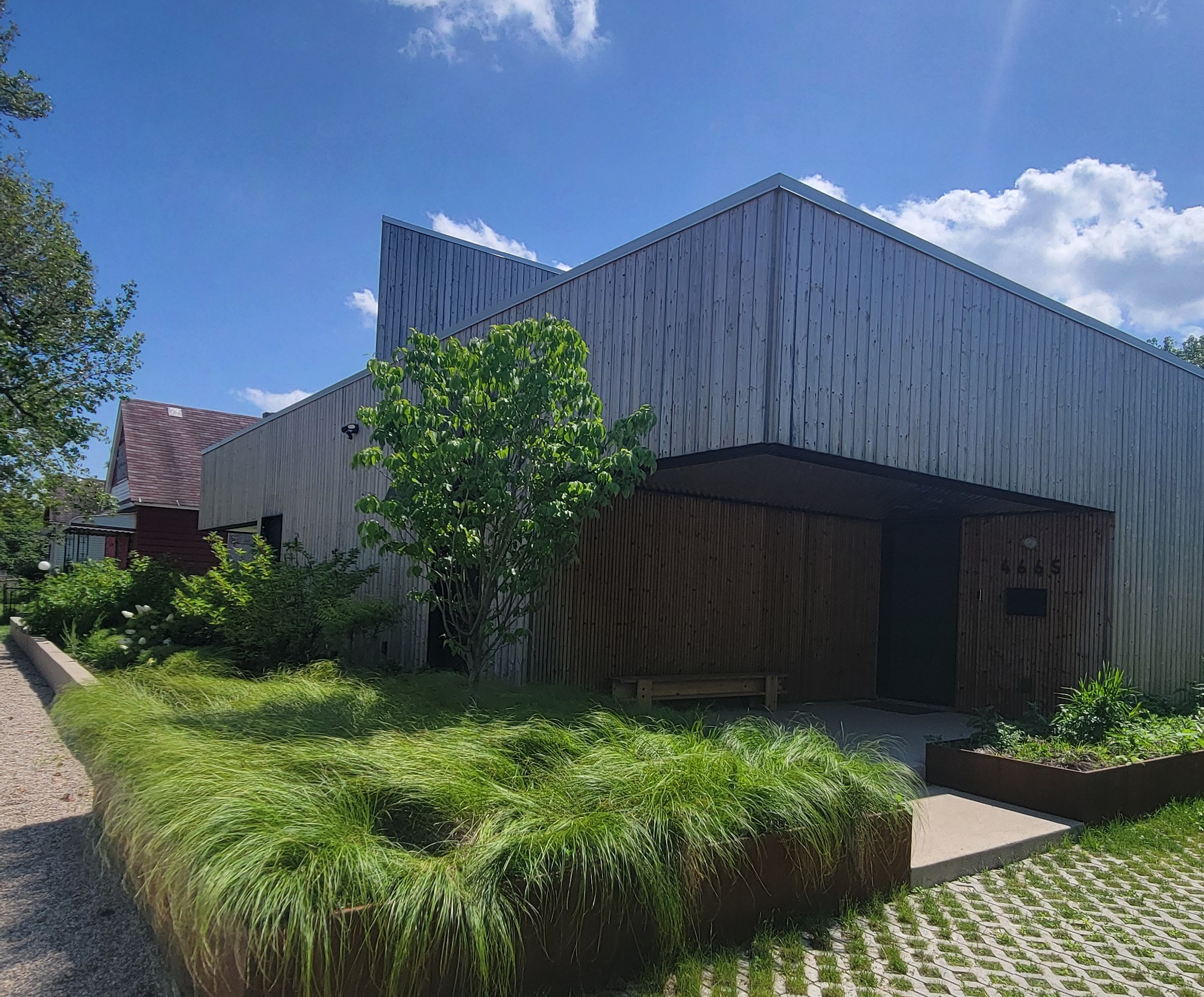
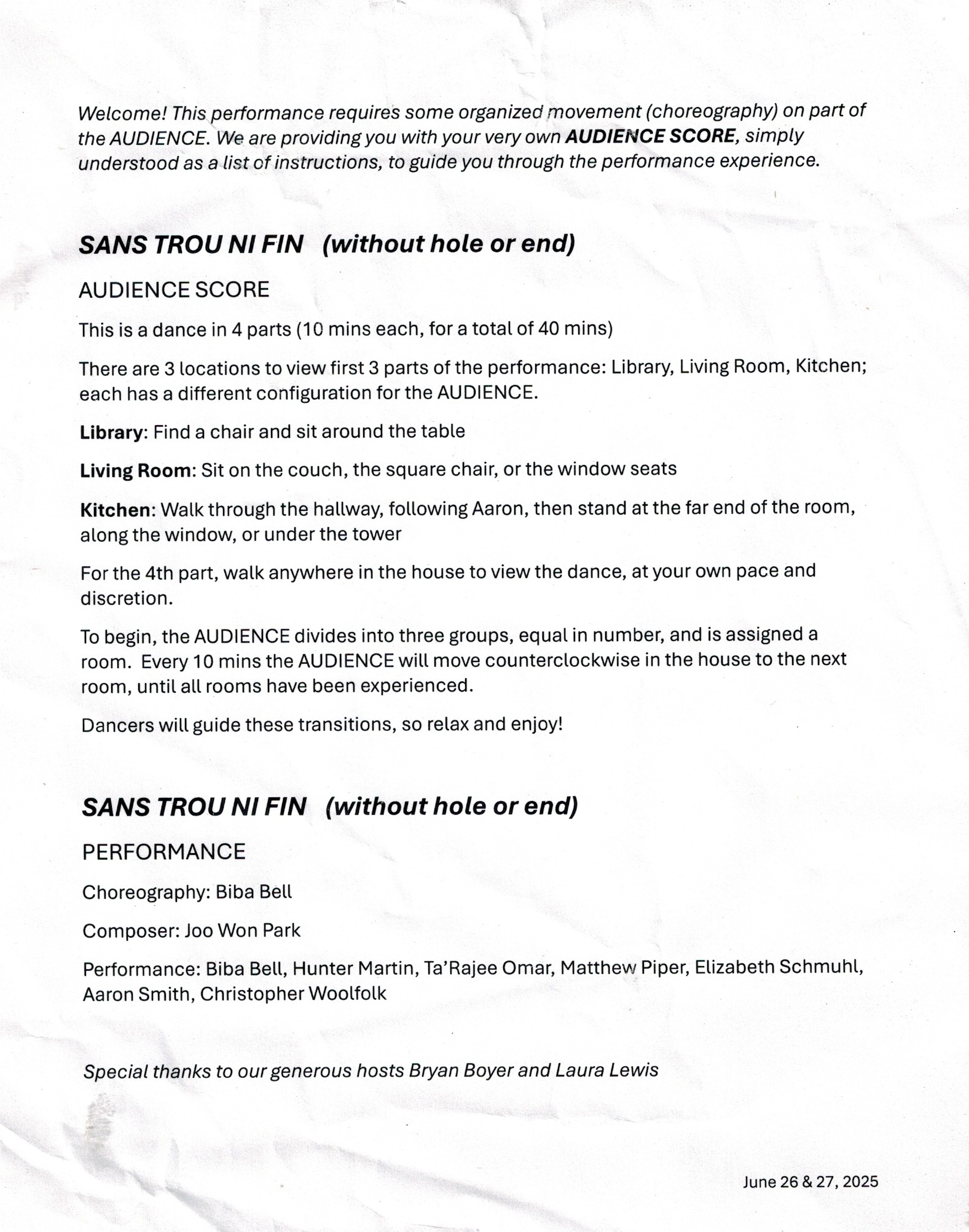
The show has six dancers, one reader, and a Detroit house with a remarkable design. Biba’s program notes below describe the experiences of audience members during the show.
Sound Design and Composition
I visited the site a few months before the premiere, took notes and photos, and composed music. I made three different but correlated 10-minute pieces that will be played simultaneously on three sides of the center garden. I have also added a fourth sound that will be played back from a portable speaker. During the performance, a dancer walked with the portable speaker and visited the three sites.
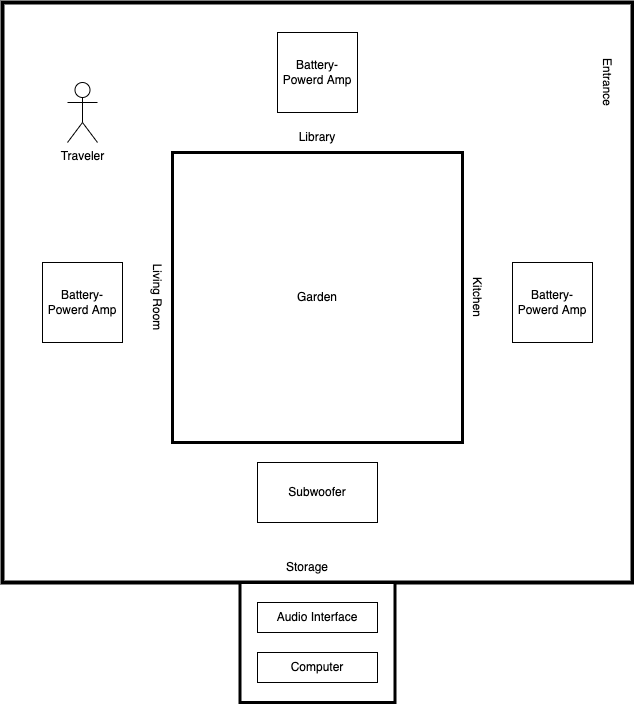
Below is a diagram showing a customized playback system for the show. It consists of three portable speakers, one subwoofer, a multi-channel audio interface, and a PC running Ableton Live.
The tracks in the soundtrack album match the labels in the diagram.
The three places, the Library, Living Room, and Kitchen, each have their own music (tracks 3, 4, and 5), and Traveler intermittently visits them with a fourth sound (track 6, an abbreviated version of the original 30-minute file). The first track, named Sans Trou Ni Fin – Part I, is a simulation of all of the sounds playing together. Sans Trou Ni Fin – Part II is played at the last 10 minutes of the piece, where all dancers gather in the center garden. The windows to the garden are open for the last movement, allowing sound to travel with fewer obstructions. Part II also uses a subwoofer to add a low-frequency thump. During the shows, I was cueing the sound from a storage room, doors closed and hidden from the audience.
The composition process consists of combining new and old techniques. SuperCollider codes used in End Credits, Save Point By The Lake, Tree Breezes, and Hold Drum became the starting points for the pieces. I edited the codes so that the resulting sounds are in the same key, tempo, and duration. For the ending, I added a slow version of Mellotron 7. During the rehearsal, the team wanted a 60-second-long transition sound to be played while the audience moved to another room. I quickly assembled the transition sound with a drone from Living Room. I did not upload the transition music.
Remarks
Sans Trou Ni Fin was a second collaboration with Biba (info about the first collaboration is here). Biba brings out the beauty of the immobile space with the mobile human bodies. Her work has the best “here-and-now” experience a live performance can create. And the performers, Hunter, Ta’Rajee, Matthew, Elizabeth, Aaron, and Chris, delivered it with 200%. I am grateful to work with the crew.
Update 11/25/2025
One of the artists, Matthew Piper, wrote a beautiful article about the performance. Read about it here!
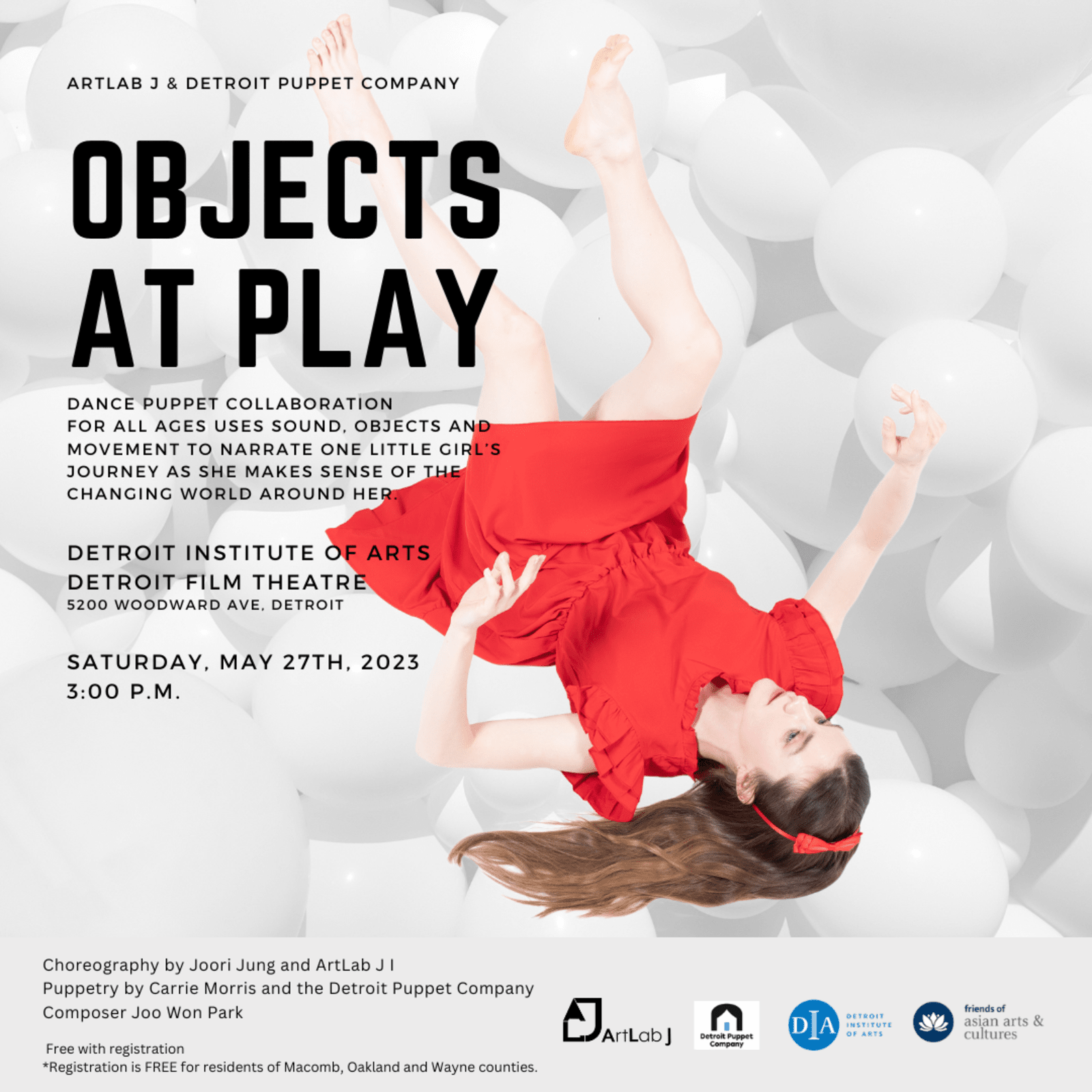
I worked with Artlab J and Detroit Puppet Company on a show in the past three months. The premiere was last Saturday. I have been documenting the creative process of this project, and I plan to write a paper about it. But, for now, I want to share the soundtrack for the project.
Put the audio files into a playlist in the music player app
Turn on the Shuffle mode to randomize the playback order of the files
Place the robot vacuum and its charger on the stage
Score example and explanation
Cue #
Low Energy / Slow / Quiet
High Energy / Fast / Loud
In each cue, the violinist chooses a phrase from 4-6 options. If the sound emitted from the robot vacuum seems to be in the low energy/slow/quiet category, choose a phrase from the left column. Choose a phrase from the right column if the vacuum sound fits the high energy/fast/loud category.
The following determines the cue duration.
Duration of the audio file. Go to the next cue if a new audio file plays.
Time for the vacuum to take a turn. If the vacuum changes its direction, go to the next cue.
Violinist can signal the tech operator to go to the next cue
The regular bar line in the notation indicates the duration of the cue. If a cue lasts 30 seconds, play the phrase between the regular bar line for approximately 30 seconds
The repeat bar line in the notation indicates that the phrase should be repeated until the next cue.
Improvise the pitch and rhythm according to the note shapes and positions
Notes within the bar line: play mid-range notes
Notes above the bar line: play high-range notes
Notes below the bar line: play low-range notes
Note durations: interpret according to the current cue
Whole notes and half notes: very slow and slow
Quarter notes: not fast nor slow
Eighth notes: fast
Glissando: notated as a line connecting two notes
Rectangular note heads: play airy, noise-like yet-pitched tone
X note heads: mute strings
Performance Instruction for the Tech Operator
The Tech operator’s main job is to cue the robot vacuum and the audio player.
If the audio player plays the next track, go to the next cue by changing the vacuum’s direction
If the vacuum turns to a different direction before the end of the audio file, go to the next cue by skipping to the next audio file on the audio player.
At the performer’s signal to go to the next cue, change the direction of the vacuum and skip to the next audio file.
Note that the beginning of the piece (cue #0) is a vacuum solo. The audio file starts to play at cue #1
Note the specific sequence of turning off the vacuum and the audio player at cues #28-30
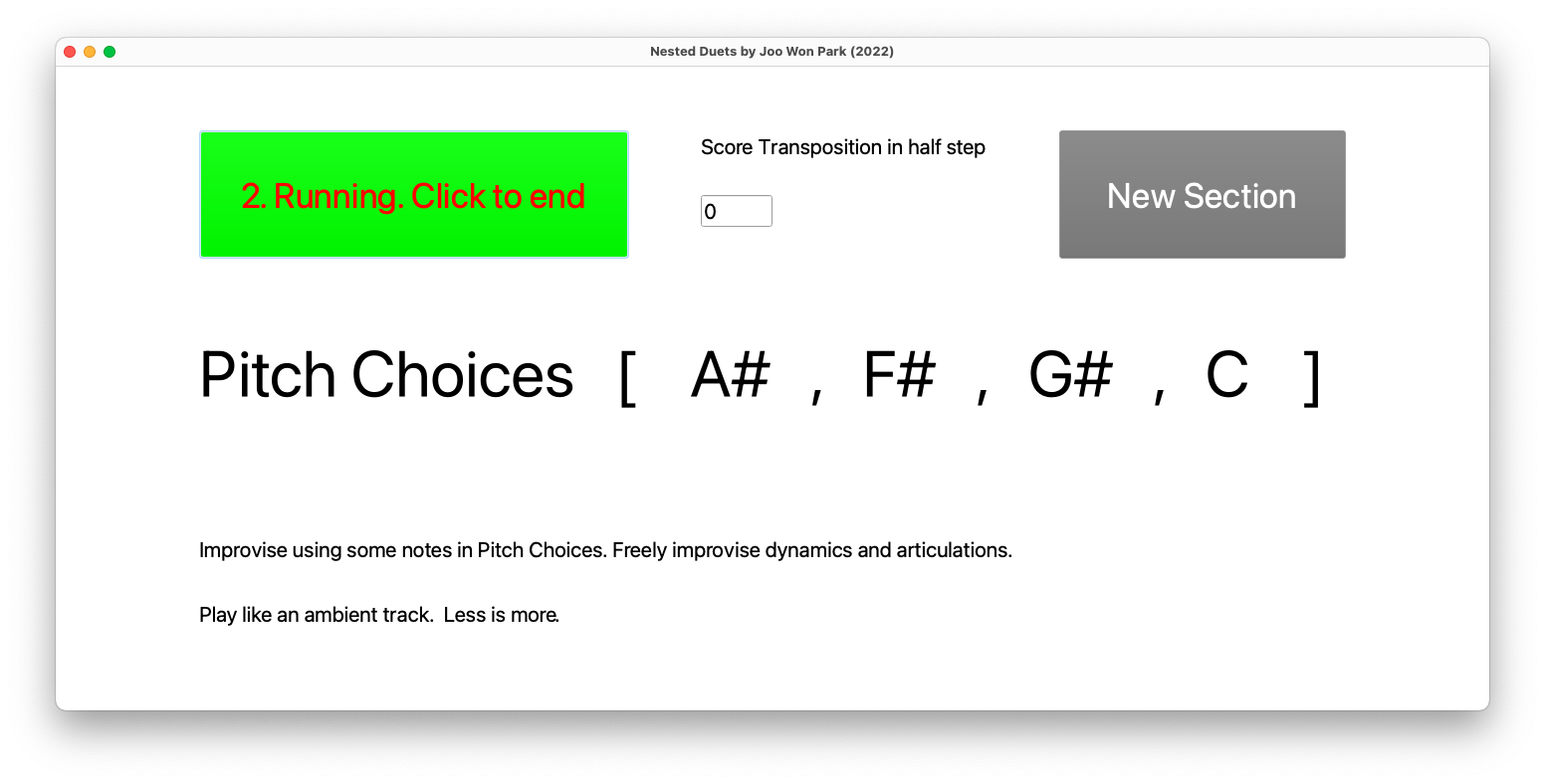
In Nested Duets, an ensemble of any size and kind can improvise with one or more laptops running a generative music app. The computer has two roles: it provides possible pitch choices for the human performers and creates accompanying electronic sounds. The performance instruction is on the computer screen.
Performers: Kevin Declaire, Samuel Khalil, De’Andre Little, Jose Llanas, Logan Macka, Lucas Manther, James McCloskey, Joseph Mcelwain, Mal McNitt, Niko Poljanac-Leboeuf, Christopher Reid, Abby Thibodeau, Nathan Zonnevylle Recording Team: Sinead Cassar, Kevin Declaire, Logan Macka, James McCloskey, Niko Poljanac-Leboeuf, Christopher Reid
Hardware and Software Requirements
Computer: PC or Mac. There can be one or more computers. In general, have one computer per 2-3 performers.
Amp and cable: Connect the amp to the computer. If the ensemble is miking the instruments, connect the output of the computer to the house mixer.
Running the Computer Part
Open NesteDuets.scd in SuperCollider.
Select Menu->Language->Evaluate File.
For transposing instruments, enter the transposition in half-steps (positive number only).
Press the “1. Click to start” button. You should hear sounds after a countdown. There is no need for a synchronized beginning when using multiple computers.
When ending, press the “2. Running. Click to end” button. Wait for all sounds to end. Coordinate when to end the piece with the ensemble members.
Press the “3. End. Click to reset” button to reset. Repeat steps 1-5 for replay.
Performance Instruction
Improvise using the pitches displayed in the GUI.
The pitch choices changes at a random pace after a countdown in the top-right corner of the GUI.
Improvise dynamics and articulations.
Make a noticeable change on the “downbeat” after the countdown.
Play like an ambient track. Less is more. Blend in. Play complimentary sounds to the computer part.
Percussionists can improvise freely in ambient style. Avoid making beats if possible.