Ambient in D Flat is a collection of short pieces for melodica and algorithmically generated computer sound. They all have the note Db as an essential part. Feel free to pick and choose which piece to perform or present. The last one in the collection, Fifth (for A Folk Song), is not an original composition- the performer is free to choose any folk song and play it in Gb major along with the computer part.
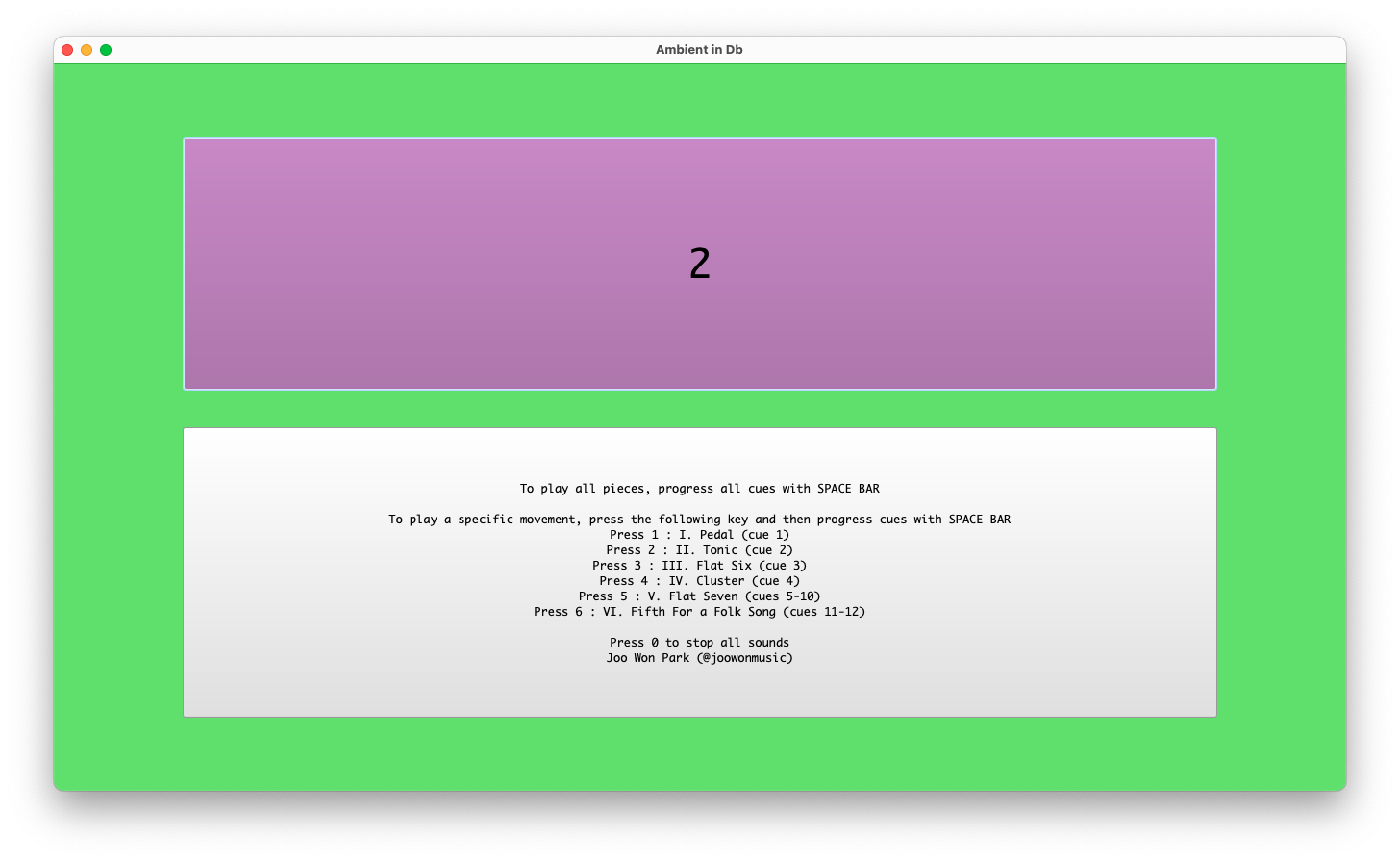
Open one of the downloaded SuperCollider files in SuperCollider. One is for OSX, and the other is for Windows.
In the SuperCollider menu, select Language-> Evaluate File. A window with performance instructions will appear.
Follow the instructions on the screen. Use the keyboard’s space bar and number keys to navigate.
Performance
The middle C in the notation is the very first (the lowest) C in a melodica.
All pieces are in rubato.
Feel free to improvise and elaborate on the written part.
Due to its algorithmic nature, the computer part does not have a set duration. It is OK if the performer finishes the melodica part earlier or later than the computer part.
I am at the age where I can make a “How It Started vs. How It’s Going” analysis of my music. Comparing performance practice change over a decade or so is valuable for my growth, especially when the piece involves improvisation and no score. I can see where I came from, where I am now, and where I should go next. Large Intestine for no-input mixer and computer premiered in 2013, and I still present it in concerts. Watching the August 2013 version and the recent June 2024 version in sequence gives me a chance to contemplate my electronic performance practice. Did the technology and style change over 11 years?
Technology
I took the “if it ain’t broke, don’t fix it” approach for Large Intestine in terms of the hardware and the software. The SuperCollider patch I coded 11 years ago is almost identical to the 2024 version. There were maintenance updates, such as replacing a deprecated UGen with a current one, but the signal-processing algorithm is untouched. The hardware signal flow is also unchanged, although I upgraded the mixer for increased possibility and flexibility.
I perform the piece by changing the mixer settings and SuperCollider patch. The SuperCollider patch consists of eight effect processors, and I turn on and off those effects in different combinations. It is much like playing a guitar with a pedal board. Over the past 11 years, I have bought a “new guitar” but am using the “same pedal.” The sonic possibilities remain the same, but how I play the instrument, the style in other words, has changed.
Download and run the SuerColider patch for Large Intestine as a reference. You can test it using a mic or any other instrument.
I observed the following differences in the 2013 and 2024 versions of Large Intestine.
2013
2024
Mostly slow and gradual parameter changes
Mostly fast and abrupt parameter changes
I discover things on stage
I present previously experienced sounds
The mixer supports computer sounds
The computer supports mixer sounds
Long duration (10+ minutes)
Short duration (less than 8 minutes)
When I was a no-input beginner, I could not make quick transitions and variations. In the 2013 version, I treated the mixer as one of many sound sources that could pass through signal processors. Like itsumbrella project, 100 Strange Sounds, Large Intestine featured my SuperCollider capacity. The 2024 version shows that I reduced the dependency on the computer part. I also learned to say more within less time.
Gained confidence also changed the performance goal. I make a one-sentence goal when I am improvising solo. My goal for Large Intestine used to be “Let me figure out what no-input mixer can do on stage,” as it delighted me to discover the mixer’s unique sound and its augmentation by the computer. 11 years later, there are much less delightful discoveries in the piece. But I can now expect the sound I can create. The current motto is, “Let me show you my favorite no-input mixer moments I learned previously on stage.”
Evaluation
I am my work’s biggest supporter and critic, but that does not help my career development. The audience ultimately decides the longevity of the work. Large Intestine was fortunate to be liked by the audience on many occasions. It received some honors, such as being included in the SEAMUS CD series (2015), a peer-reviewed annual album released by the Society for Electroacoustic Music in the United States. There were multiple invitations to perform at different venues, and it became an integral part of my solo performance practice. The positive feedback from presentations motivated me to delve further into the no-input mixer world. I composed the following pieces based on the learnings from Large Intestine.
There are also clear limits to Large Intestine and my solo electroacoustic improvisation. I don’t expect other performers to play Large Intestine as it lacks score or instruction. The experience and joy I had with the piece are not transferable to other performers. This bothered me. I tackled this issue by teaching others how to play no-input mixers. I currently enjoy organizing no-input mixer workshops and no-input ensemble sessions. The mixer is a great introductory instrument for electronic music performance.
Dot Zip consists of 22 short electronic compositions. The tracks feature a synthesis technique or a compositional structure best realizable with code-based audio programs. They are examples of what one does after learning an audio coding programs like MaxMSP and SuperCollider.
Dot Zip is a pedagogical project. Each track is an unedited render of a SuperCollider file. Download and try the .scd files from the link below.
Relevant Tones, a contemporary classical music podcast, produced an episode about my music and teaching career. It also features seven pieces ranging from my very first YouTube performance to the most recent electronic ensemble piece. The host, Austin Williams, and I had a pleasant talk.
Gather eight performers and eight computers with Logic Pro. It is possible to perform the piece with other DAWs or synths as long as they can make MIDI loops and sequences.
Download SeqOctet.logicx. Open the file in Logic Pro X (version 10.7 or higher).
Assign one performer to one of the tracks (Arp1, Arp2, Arp3, Arp4, Pad1, Pad2, Drum1, Drum2). One performer should not play all tracks. If there are fewer than eight performers, some performers can play more than one track.
Notation
Triangle noteheads: Improvise the sequence patterns. The number of notes per stem indicates the maximum number of notes per quarter note.
Rectangle noteheads: Make the sequence pattern similar to the shape of the notation.
Fermata: Continue improvising until the conductor’s cue.
Make a gradual, well-paced change when moving from one section to another. Do not make a sudden pattern change. The notation indicates the ideal shape/pattern each part should achieve in 30-60 seconds.
50% and 100% in sections 8 and 9: Improvise with 50% or 100% of all available notes in the sequencer.
Sections 10-13: End the piece by gradually eliminating notes in the sequencer. In section 12, all performers should play one note per measure.
Performance Instruction
Designate a conductor who can give a cue. The conductor decides the length of each section. Section 9 should be relatively long.
At the beginning, performers press the play button in their assigned track’s loop (the yellow square in the live loop grid). Then, they improvise the sequence pattern according to the score.
Aim for a constant change. Improvise with notes. Improvise with effects and plugins. But respect the number of notes per measure.