
A preset is a parameter configuration of a digital electronic instrument. A preset can make one synthesizer sound like a drum, string, or anything else. It also makes one reverb unit imitate the acoustics of a stadium, bathroom, or any other environment. Compared to an analog instrument’s patch, a preset can be saved and loaded. I can accurately recreate and use favorite or project-specific sounds instantly in a digital modular synth. And there could be thousands of presets for one instrument. The ability to access a large quantity of presets instantly and accurately is, in my opinion, the digital instruments’ most distinguishing advantage over analog or acoustic instruments.
Many electronic music production starts with browsing through presets. A Logic Pro user can choose and play a sound, such as Eerie Strings or Wormhole Lead. These two sound different, but both are made with the same Retro Synth software instrument. In other words, Eerie Strings and Wormhole Lead are presets of Retro Synth.
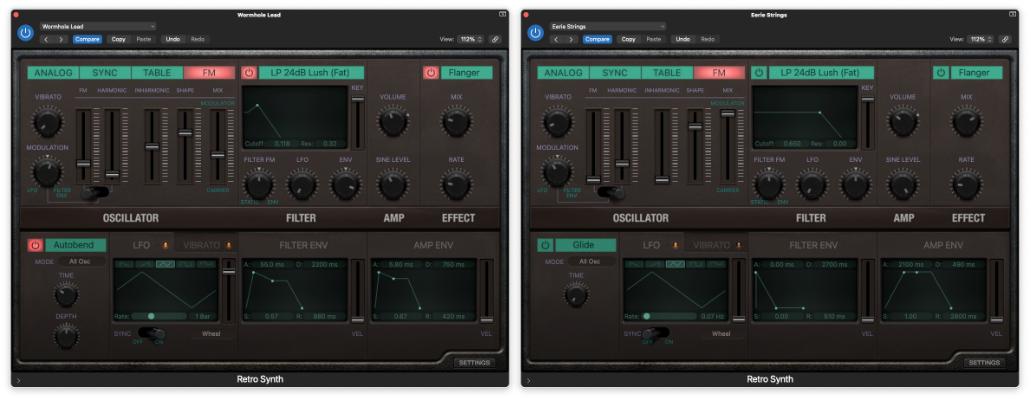
A producer could complete a piece with 100 different sounds using a DAW, but that does not mean there were 100 different instruments. There could have been 10 instruments with 100 saved variations/presets. Of those 100 presets, some could also be the creator’s original or modification. Some presets could change their parameters within a piece via automation.
The idea of using multiple configurations of an instrument and then dynamically changing them applies beyond presets. Preset-changing is a uniquely electronic composition technique, as some electroacoustic compositions feature one or two electronic instruments with sequenced presets. For example, in Armor+2 (2015), I cue digital instruments’ parameter changes according to the score. I used SuperCollider to achieve this, but any apps with cue features could do the same.
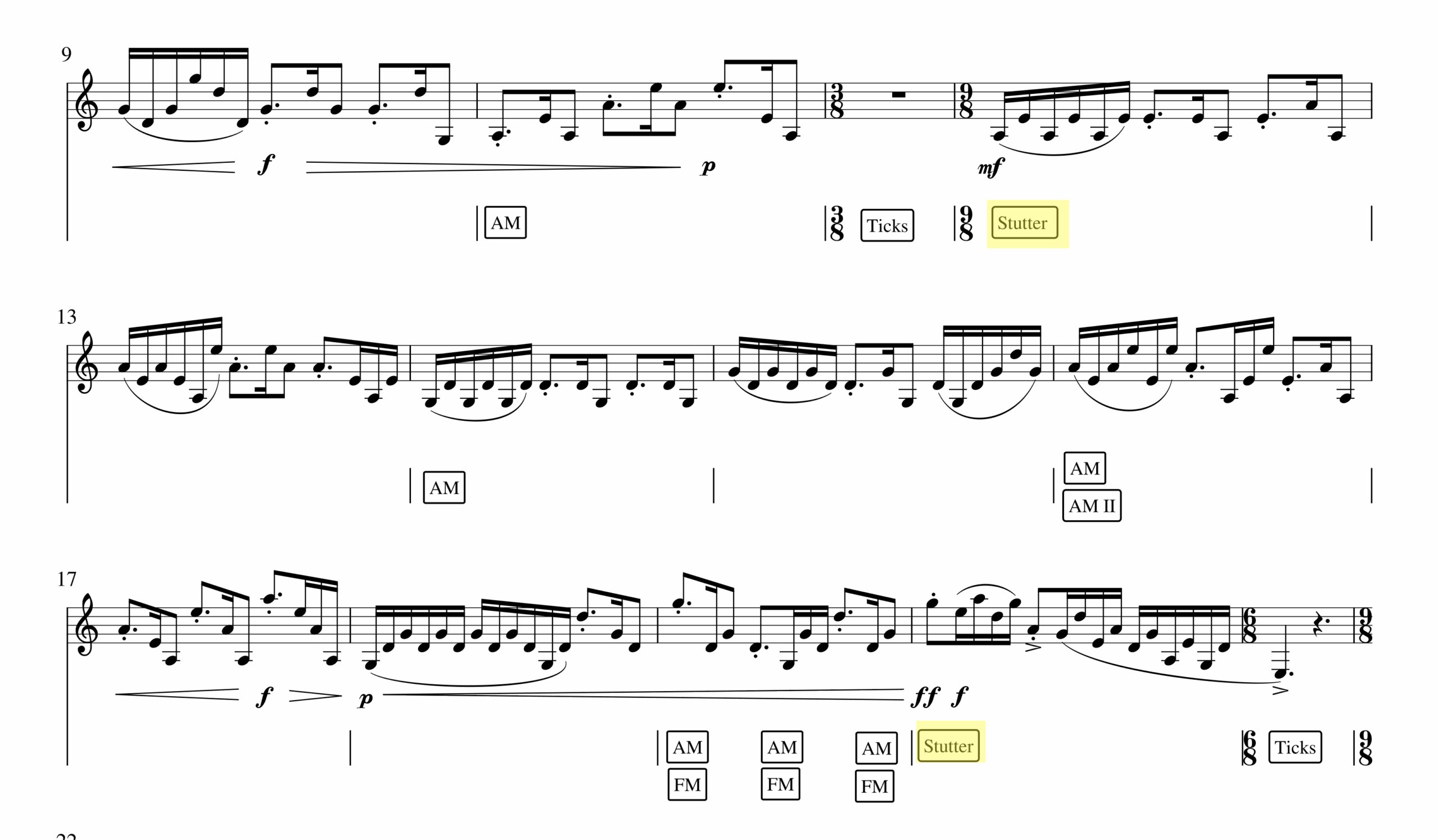
In Armor+2, the computer randomizes parameters of a digital instrument where a boxed word is notated in the score (FM, AM, Stutter, Ticks). I think of this process as a random preset change that yields expected but different effects at every performance. For example, one can hear a stuttering effect in different rhythmic patterns in measures 12 (0:30 in the recording) and 20 (0:50 in the recording). The same randomization happens with FM and AM effects throughout the piece. The dynamically changing, yet well-timed change makes the computer part function like a jazz accompanist. A jazz pianist plays the notated chord progression but improvises how those chords are presented. Similarly, the computer part of Armor+2 changes the clarinetist’s sound as notated, but the resulting sounds are varied at every performance.
Another example is in Save Point By The Lake (2024) for a laptop ensemble. Every performer in this piece plays piano samples according to the score. For example, performers press keys A, F, and J on the computer keyboard in measures 2,3, and 4 with notated rhythm.
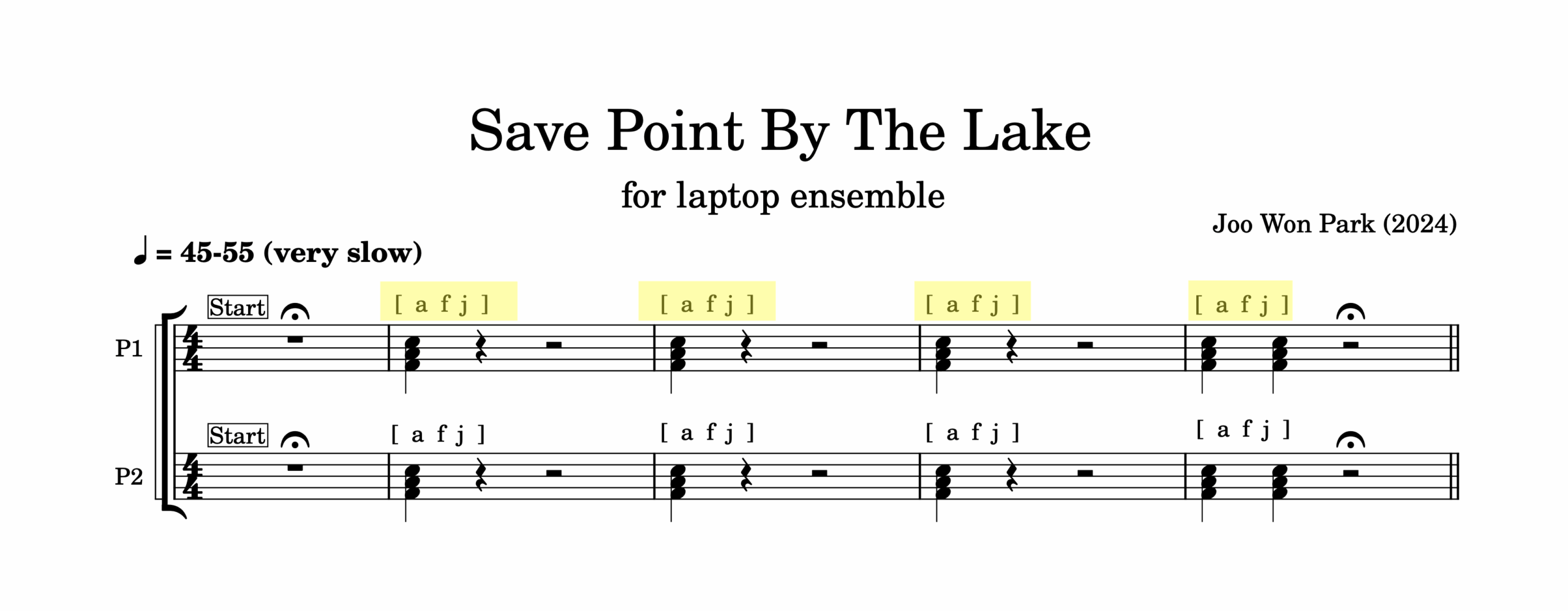
But unlike an acoustic piano, the laptop will not always play a F major chord. I designed the instrument so that at every stroke of a key, SuperCollider randomizes pitch, dynamics, and detuning amount. Pressing an F key at measure 1 and doing the same action in measure 2 yields a different note. This way, the ensemble can play the piece in notated rhythm with computer-assisted interpretations.
A preset is a recordable and recollectable variation of a digital instrument. It is an equivalent of a save or a snapshot of an app, and it is a powerful tool to express originality and creativity. Anyone can use Logic Pro’s Retro Synth or SuperCollider, but a customized preset can sound unique. If those original sounds are put together in order or layered with other sounds, the result could be a composition. Lastly, if we expand the definition of an instrument, other creative processes could be thought of as a preset change. If a recording studio is an instrument, what are its presets? If an orchestra is an instrument, what are its preset changes and randomization? These wonderings are delightful and provocative.
This article is a part of Computer Music Practice – Learning.